Home > How to create a discount code (coupon) for your online shop
How to create a discount code (coupon) for your online shop
Please NoteCoupon codes are not automatically applied, and aren't automatically shown on the website. You need to advertise your code on your website and/or social media and other marketing platforms, so customers can enter the code manually.
Discount codes can be a great marketing tool and often encourage customers to spend more than they usually would. An example of discount code is: “use code SUMMER10 for 10% off when you spend over £50”.
To create a discount code, us the Create Discount Code link in your dashboard under the ‘Shop’ heading:
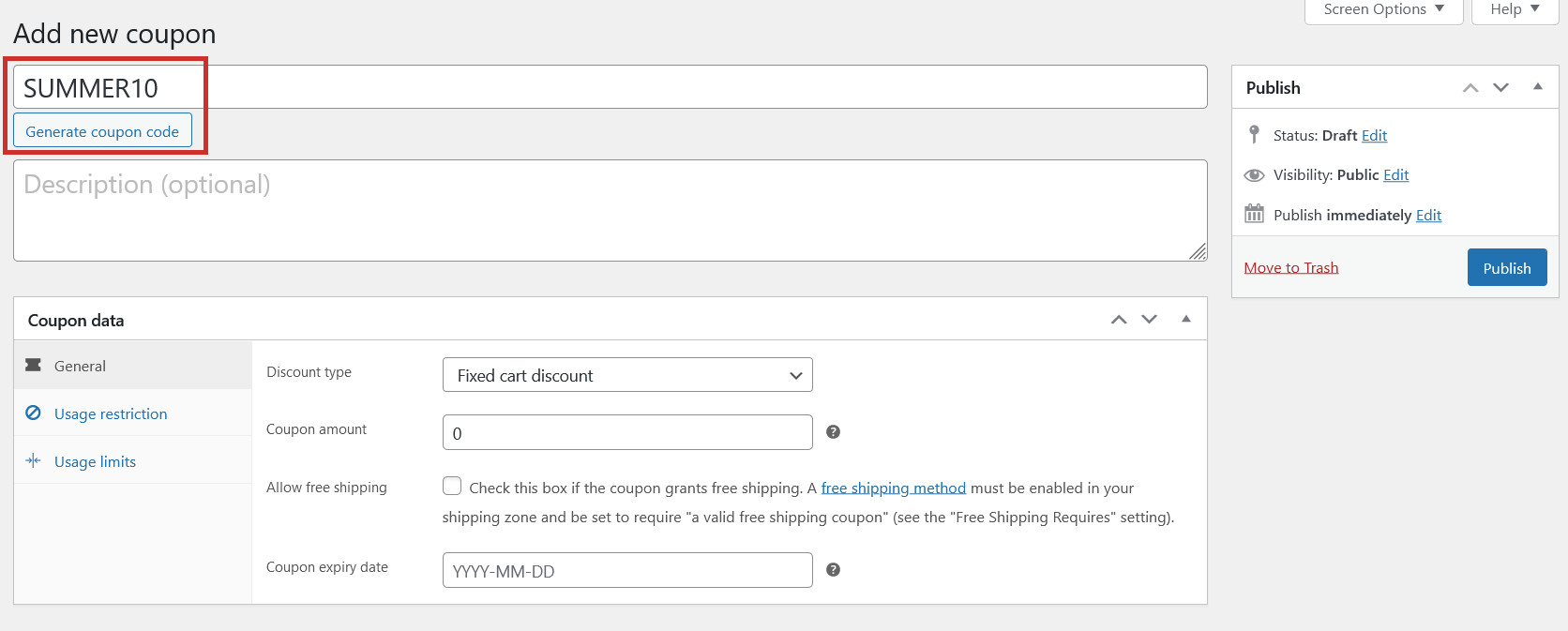
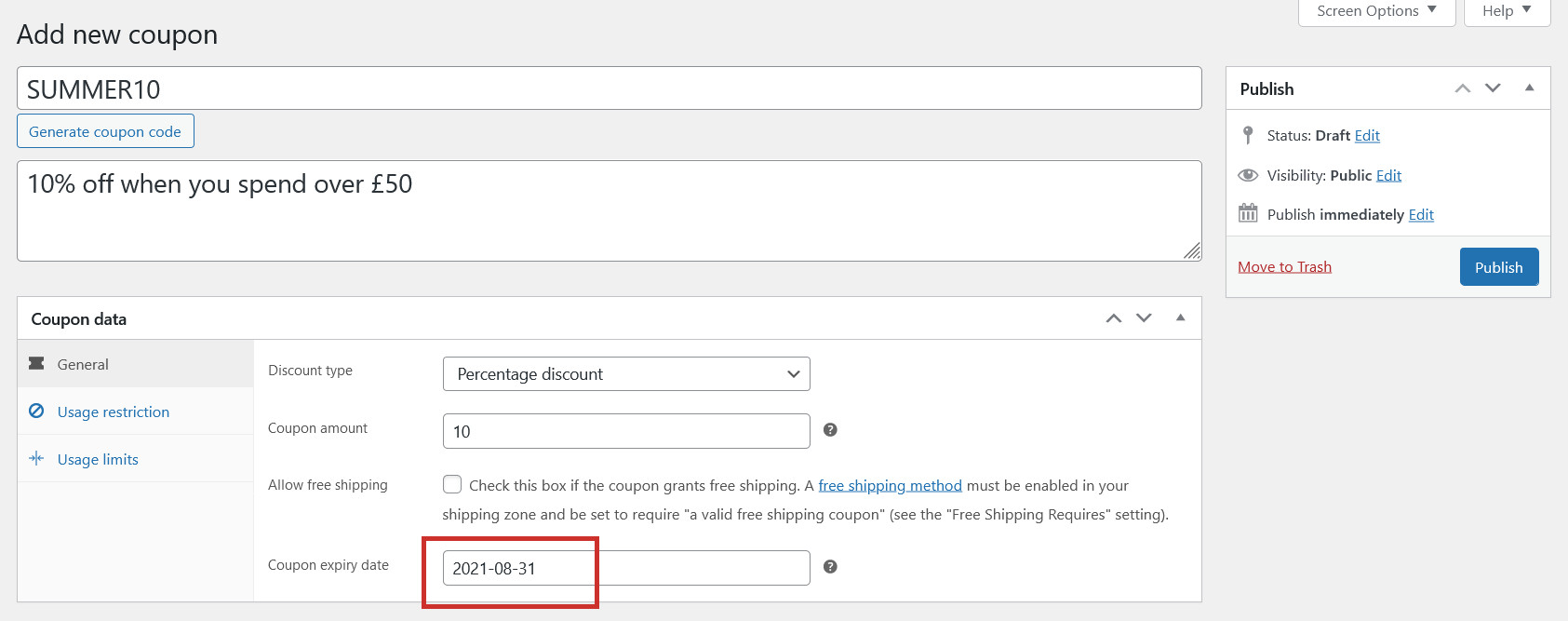
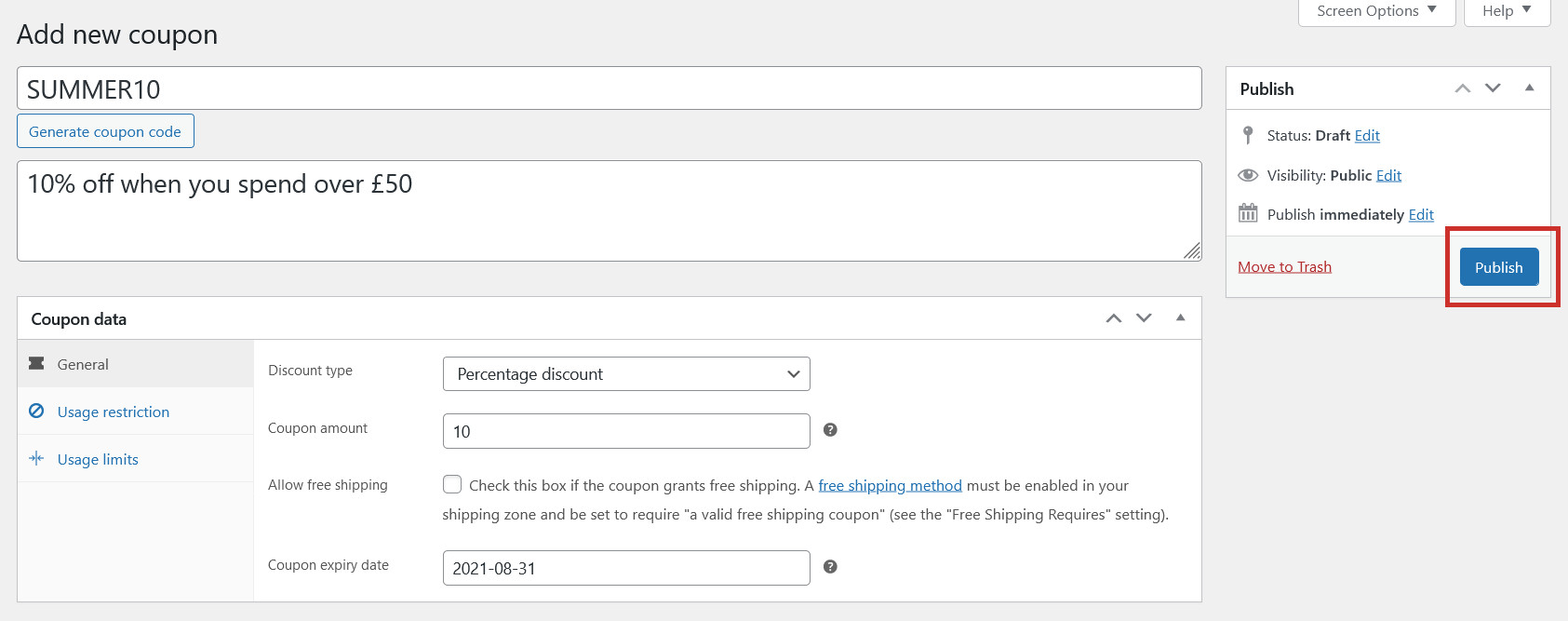
First, enter the Coupon code (or randomly generate one). This is the code customers need to enter to claim the discount:
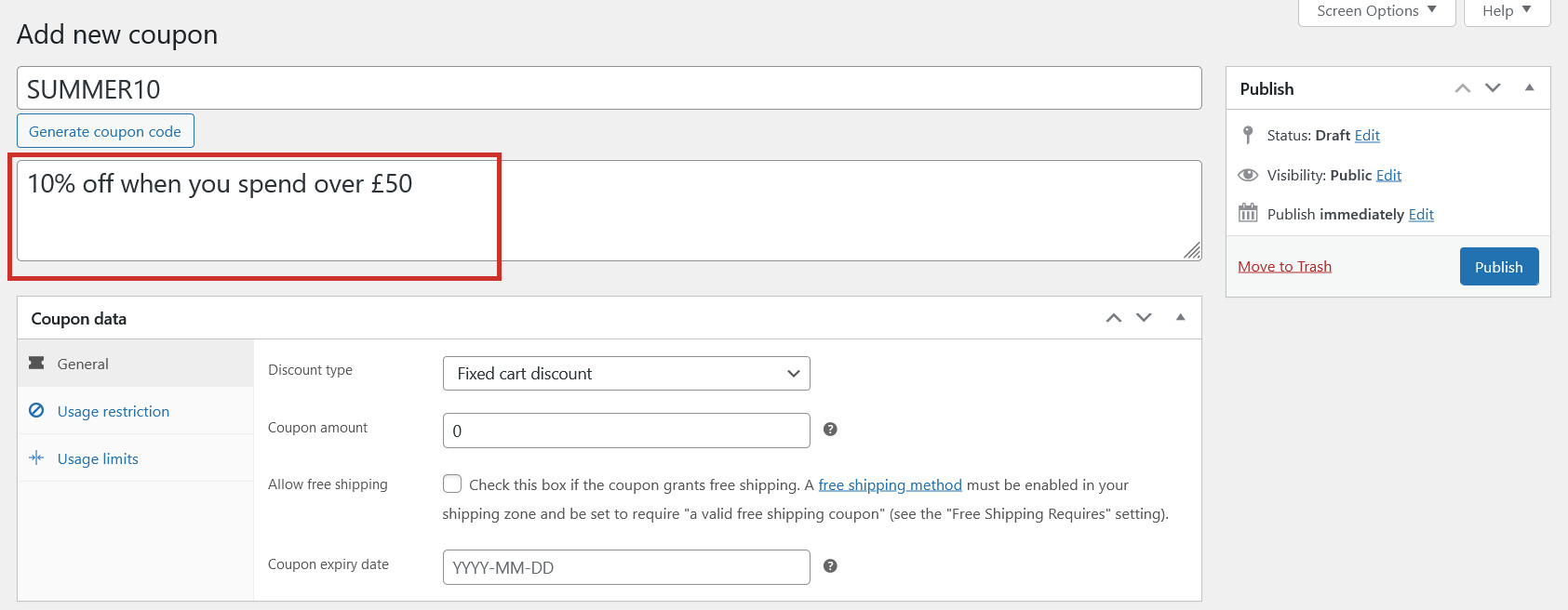
Enter an optional Description for the code:
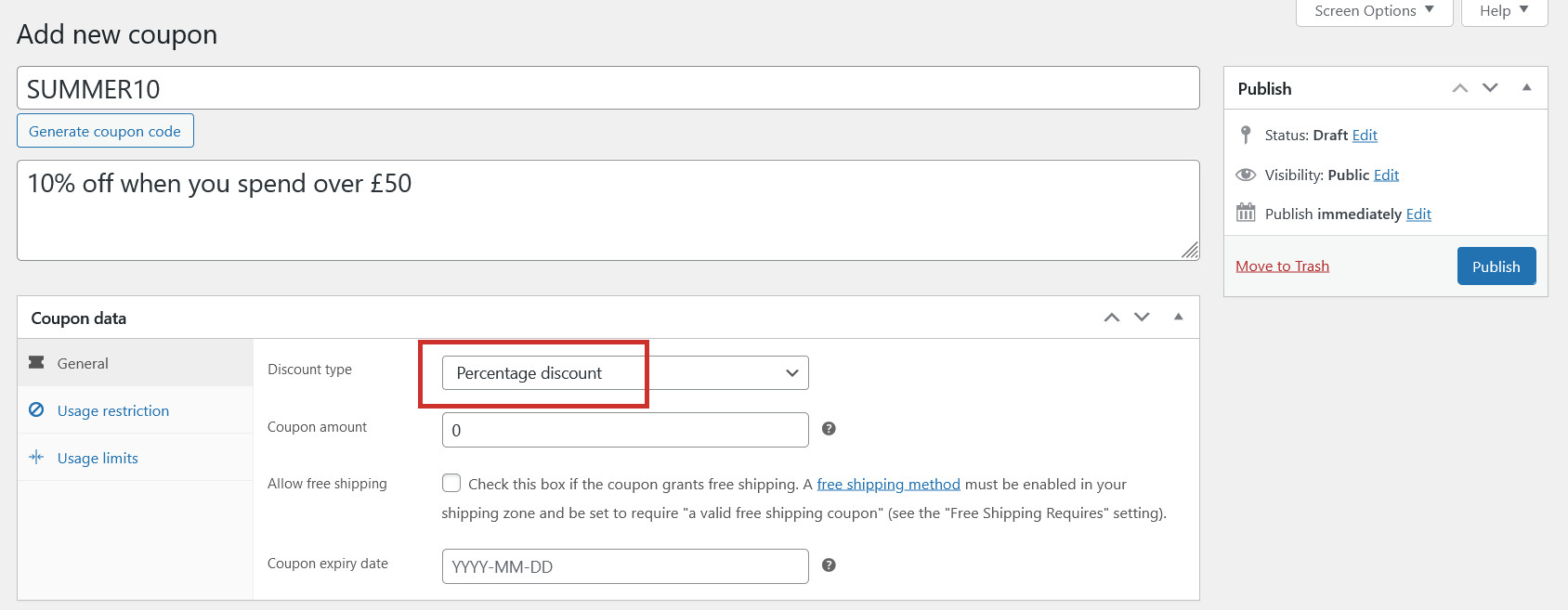
Select the Discount type:
Percentage discount: a percentage off the order amount (eg. 10% off)
Fixed cart discount: a fixed amount off the whole order amount (eg. £15 off)
Fixed product discount: A fixed total discount for selected products only (eg. £5 off each applicable item in the cart)
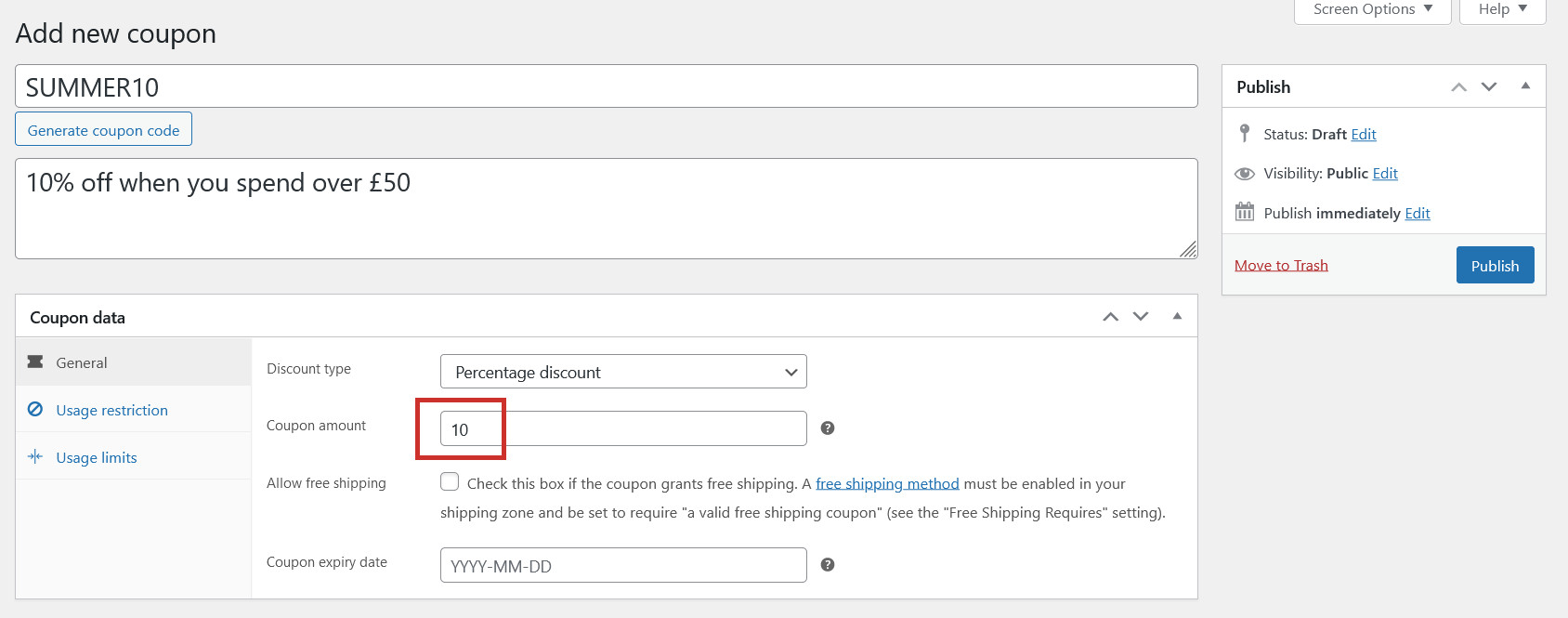
Enter the Coupon amount (the value of the coupon):
If the coupon enables free shipping, tick the Allow free shipping box (find out more).
Set an optional expiry date for the coupon. After this date, the coupon won’t work:
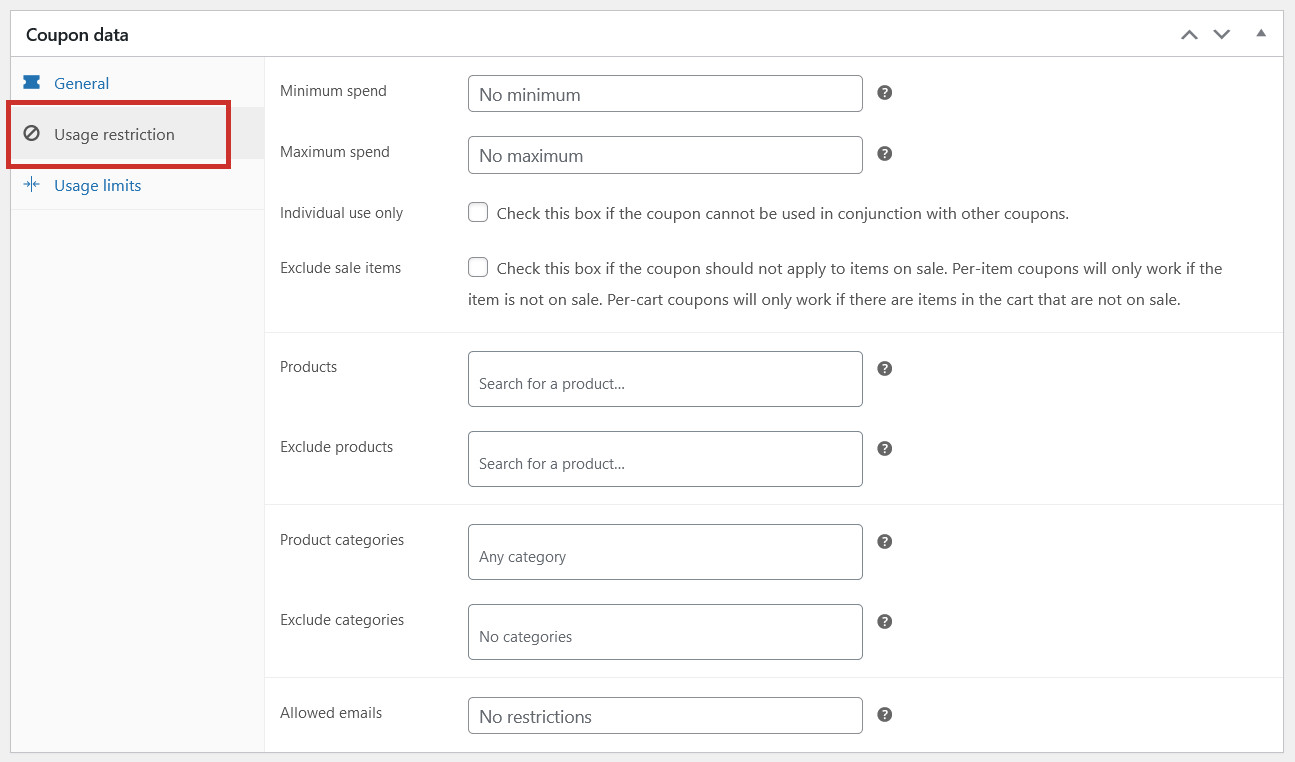
In the Usage restrictions tab, you can set optional restrictions on how the coupon can be used. This includes:
Setting a minimum spend for the coupon to apply
Setting a maximum spend for the coupon to apply
Deciding if the coupon can be used alongside other coupons
Deciding if the coupon can be applied to items on sale
Selecting which specific products the coupon applies to
Selecting which specific product categories the coupon applies to
Retricting the coupon to specific email addresses only
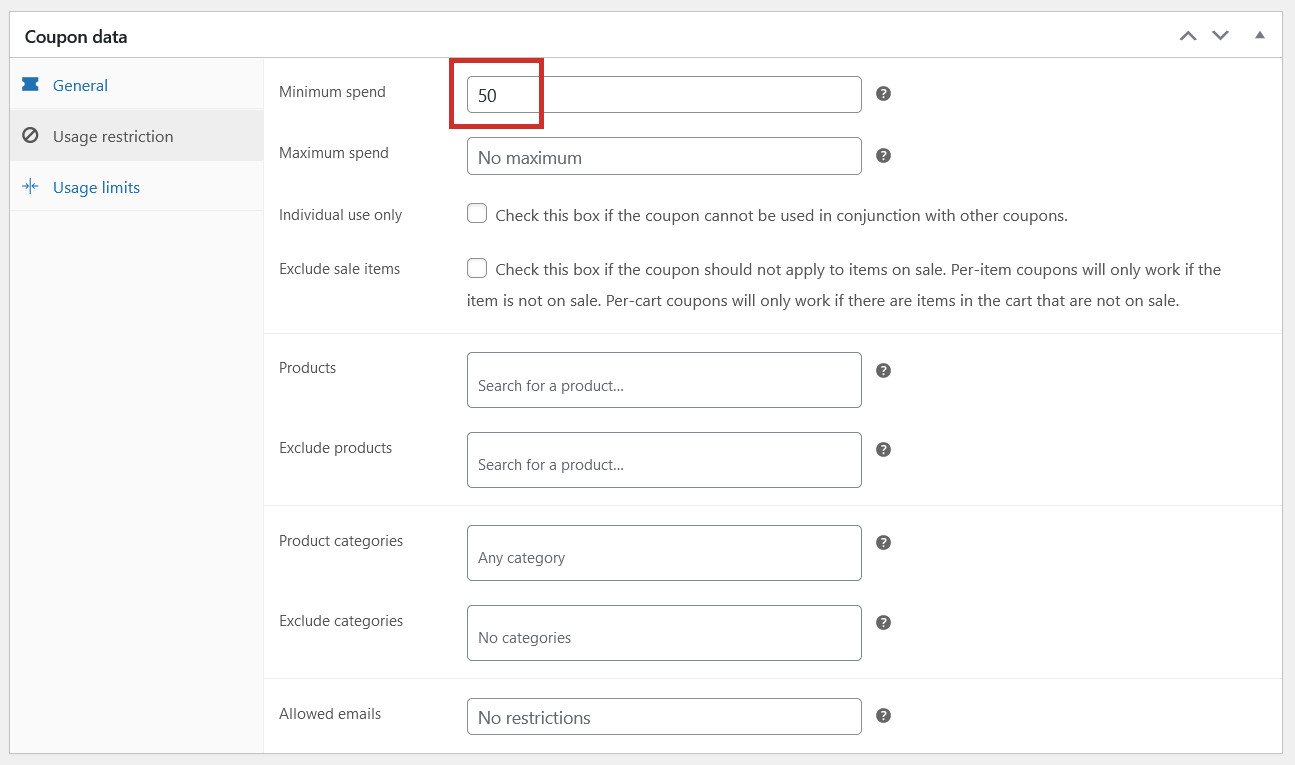
We want our coupon to only apply when a customer spends £50 or more, so we’ve entered ’50’ in the minimum spend box:
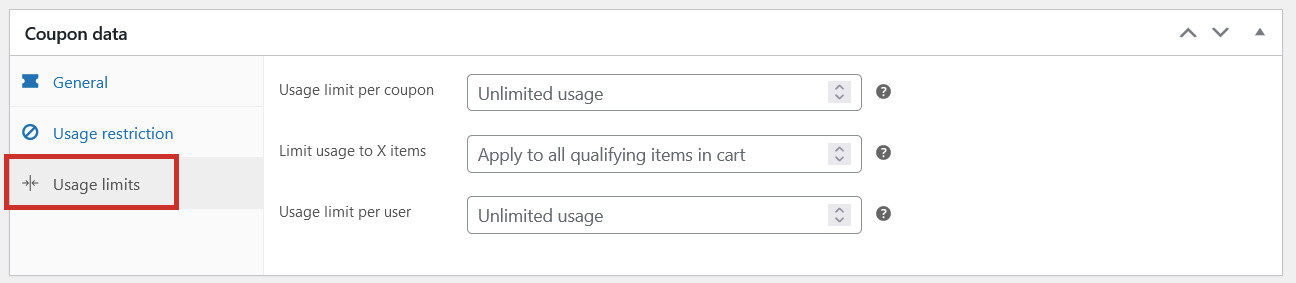
In the Usage limits tab, you can set optional limits for the coupon. This includes:
Setting a limit for how many times the coupon can be used
Setting a limit for how many items the coupon applies to (only relevant if using a fixed product coupon type)
Setting a limit for how many times an individual customer can use the coupon
When you have finished creating your coupon, click Publish:
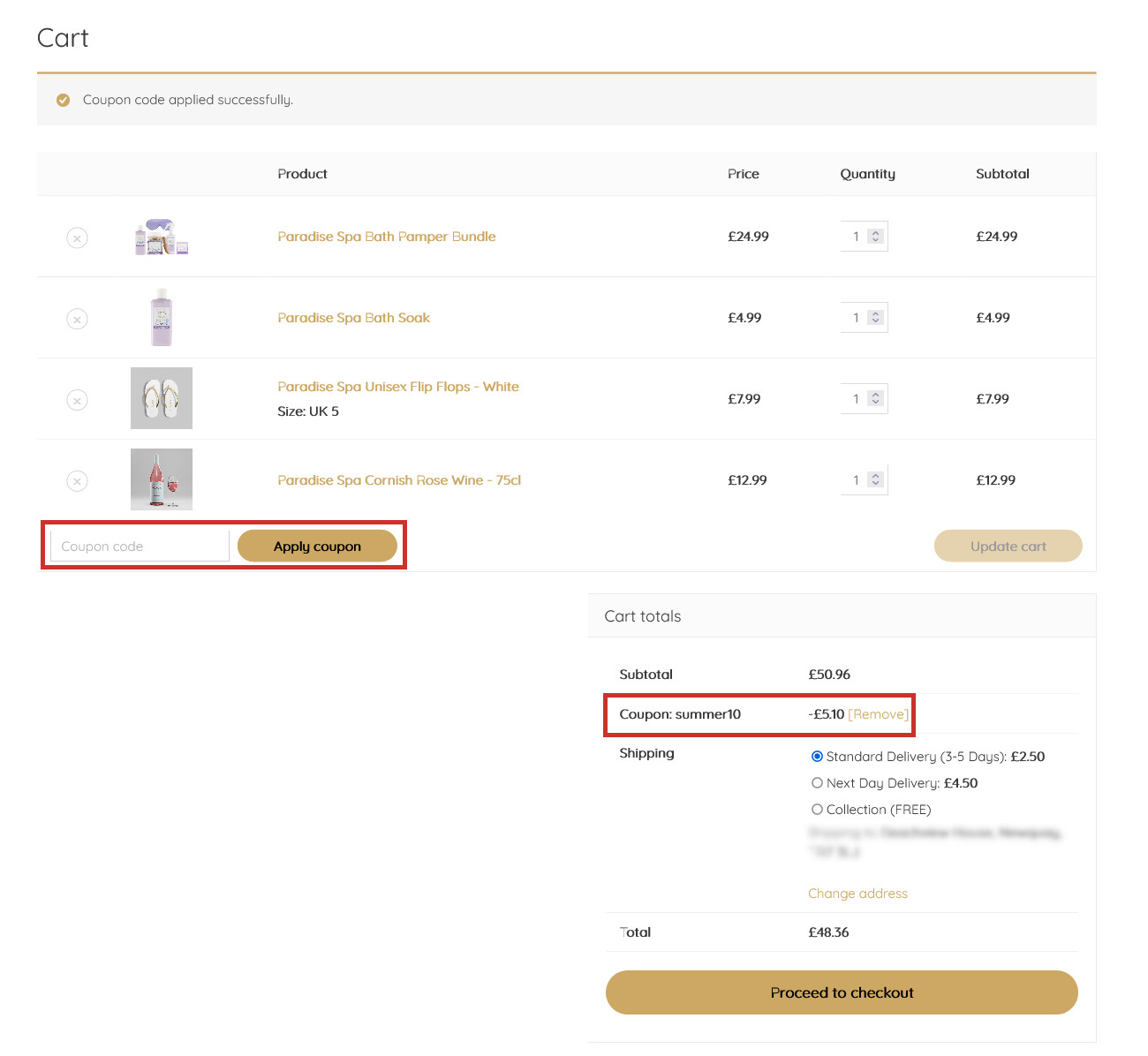
The coupon can now be used. You will need to let customers know about your new coupon code in your advertising and marketing material. Customers can enter the code in the cart or checkout: