A domain forwarder or redirect allows you to redirect users to a different website when they visit your domain. This can be useful if you have registered multiple domains (eg. .com and .co.uk versions of the same name) and need them all to point to the same place.
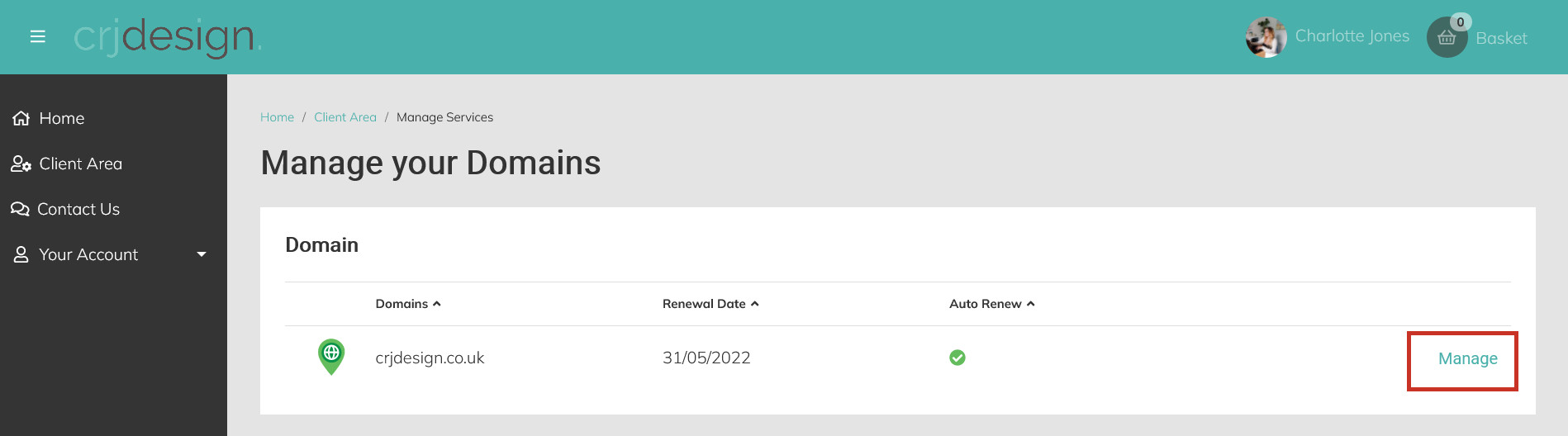
To set up a domain redirect, first login to your hosting portal and click ‘Manage’ next to the domain you would like to redirect:
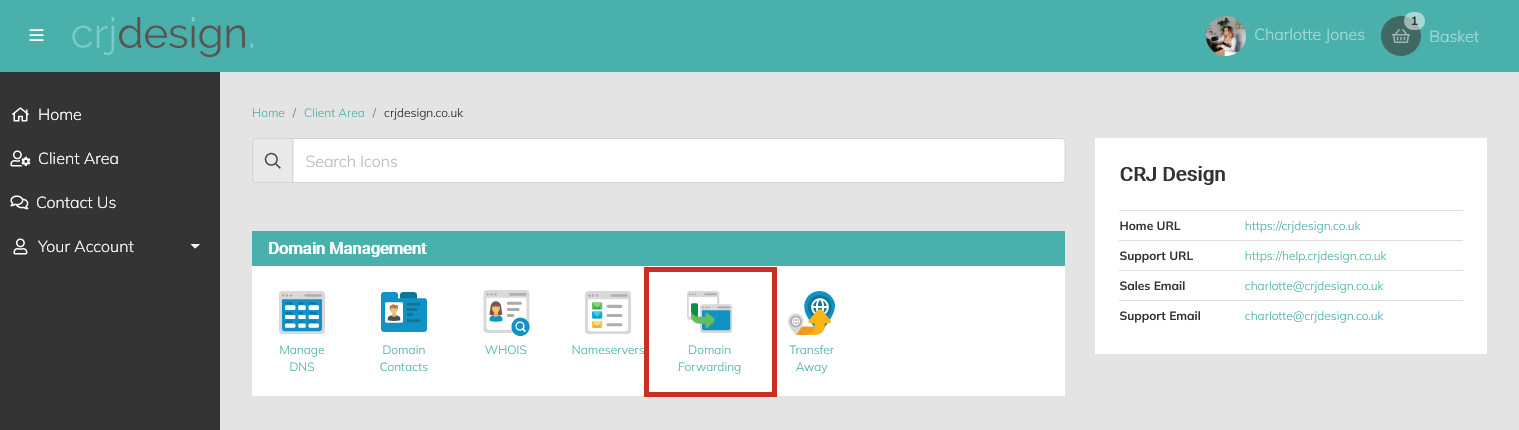
Next, click the Domain Forwarding icon:
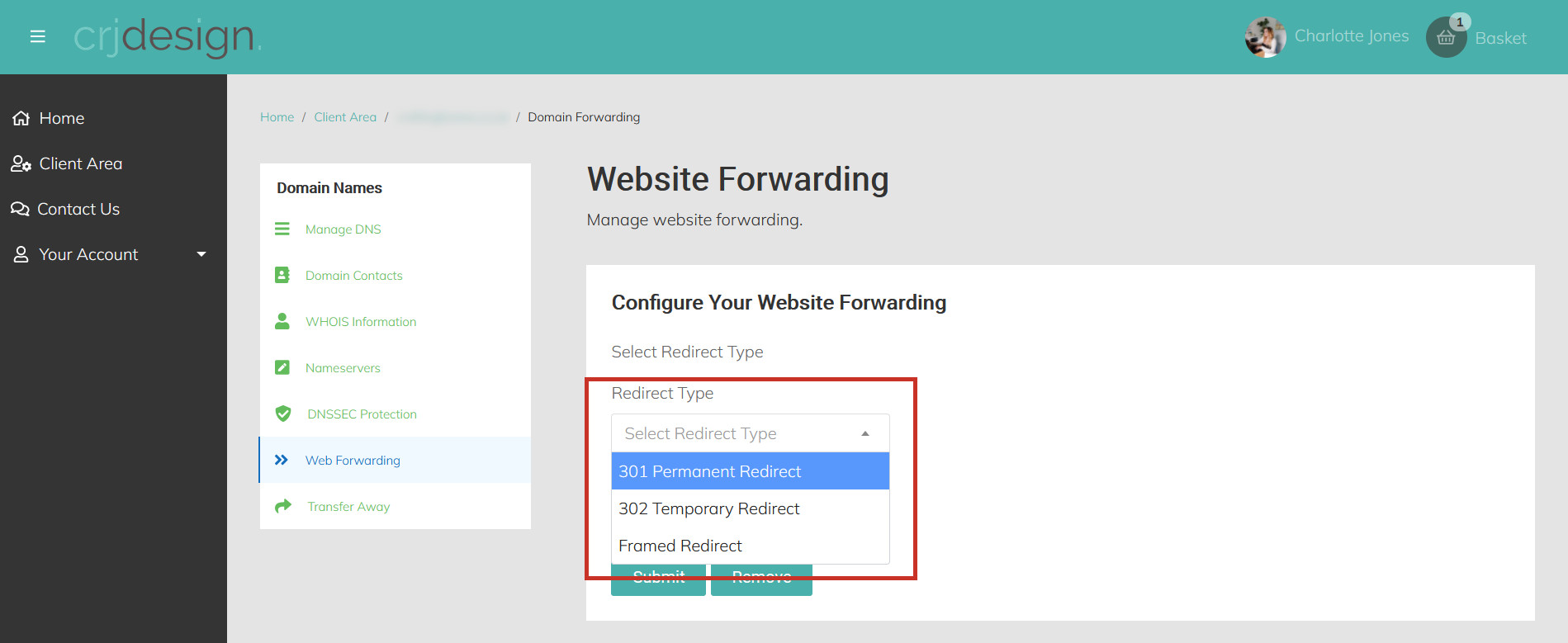
Select the Redirect Type – Permanent or Temporary depending on if this is a permanent redirect or not. Framed redirect will forward the domain to the content displayed on a different URL, but leave the original domain typed in the address bar:
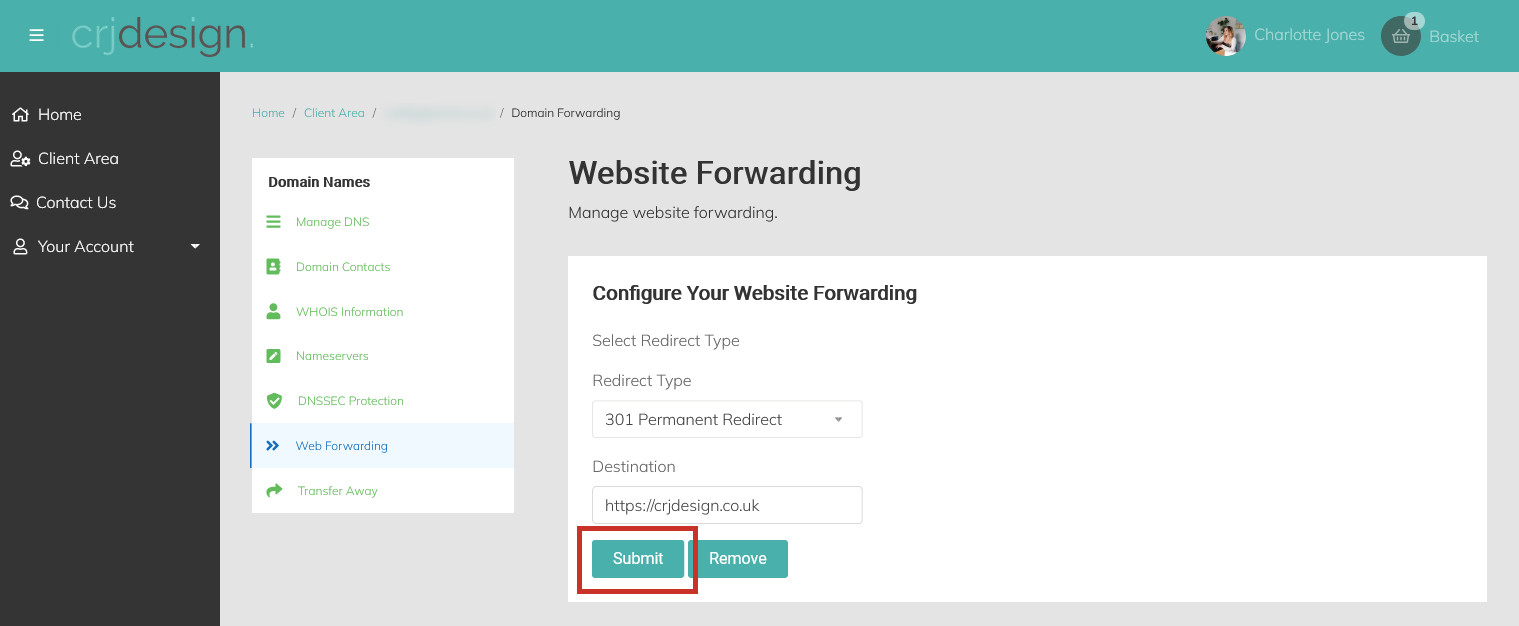
Enter the forwarding destination (where you want visitors to be redirected to when they visit your domain). Remember to include the https:// before the URL:
Finally, click Submit:
Please NoteIf your domain is linked to a hosting account, you need to create the redirect by clicking 'Manage' next to the Hosting Package (not the domain) and using the 'Redirects' icon under 'Web Tools'.