Please NoteYour domain must be using our nameservers (ns1.stackdns.com, ns2.stackdns.com, ns3.stackdns.com, ns4.stackdns.com) before you can install a free SSL certificate. If you have only recently changed your nameservers, note that it can take up to 24 hours to propagate.
A SSL Certificate encrypts data sent via your website and shows visitors that your website is secure. Our web hosting customers can easily install a free SSL certificate for their website via their Web Hosting Portal.
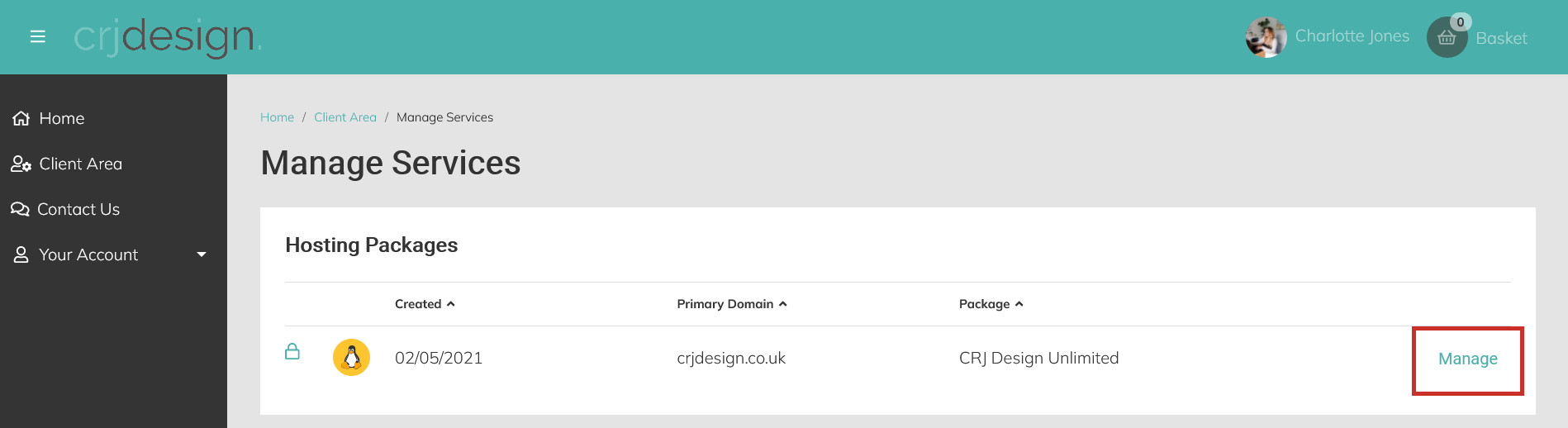
Login to your Web Hosting Portal and click Manage next to the web hosting package you’d like to install a SSL certificate for:
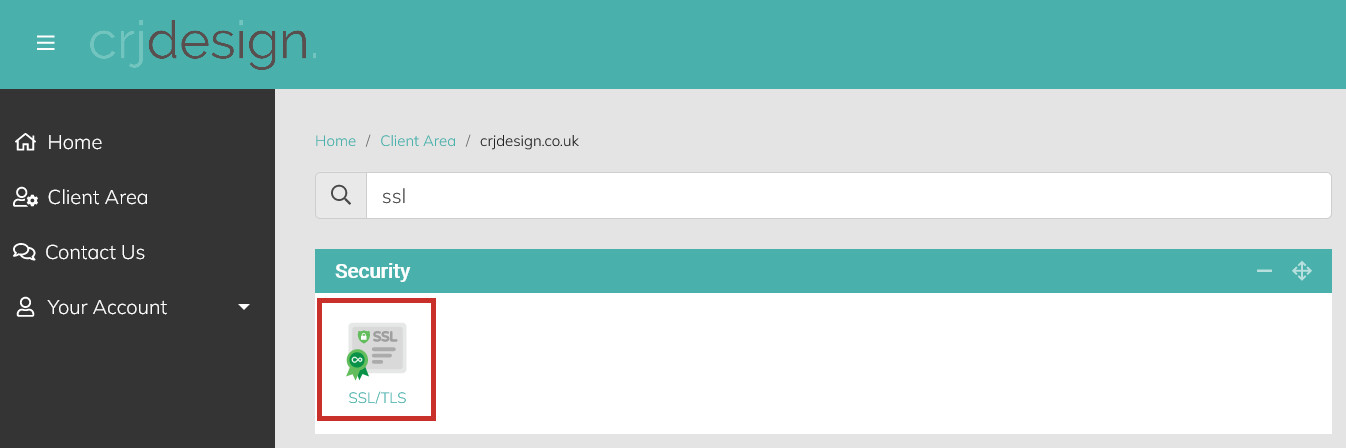
Click SSL/TLS under the ‘Security’ heading, or search for ‘SSL’:
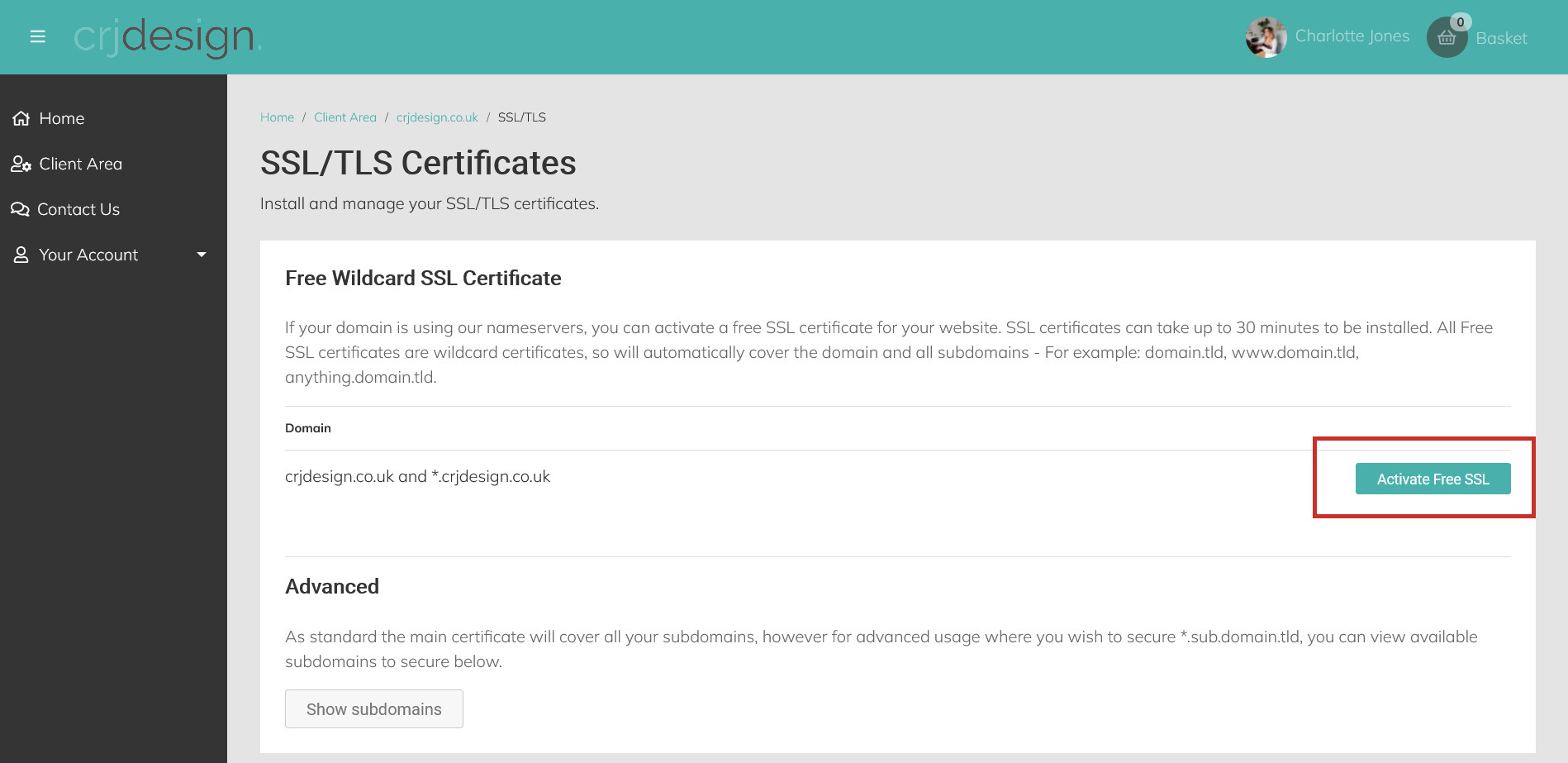
Click the Activate Free SSL button next to your domain name to install your certificate:
Your SSL Certificate is now active, but it can take up to 30 minutes for it to be installed and for your website to show as secure.
We also recommend that you click the Force HTTPS button further down the page. This will ensure that all visitors to your website visit the secure version protected by your SSL certificate: