If you are using Stripe as a payment method for your online shop or booking system, you must add a webhook into your Stripe dashboard to fully connect with your Stripe account and receive relevant charge statuses.
You can find your Stripe webhook from within the payment settings in your website, but they tend to look like this (replace yourdomain.co.uk with your domain name):
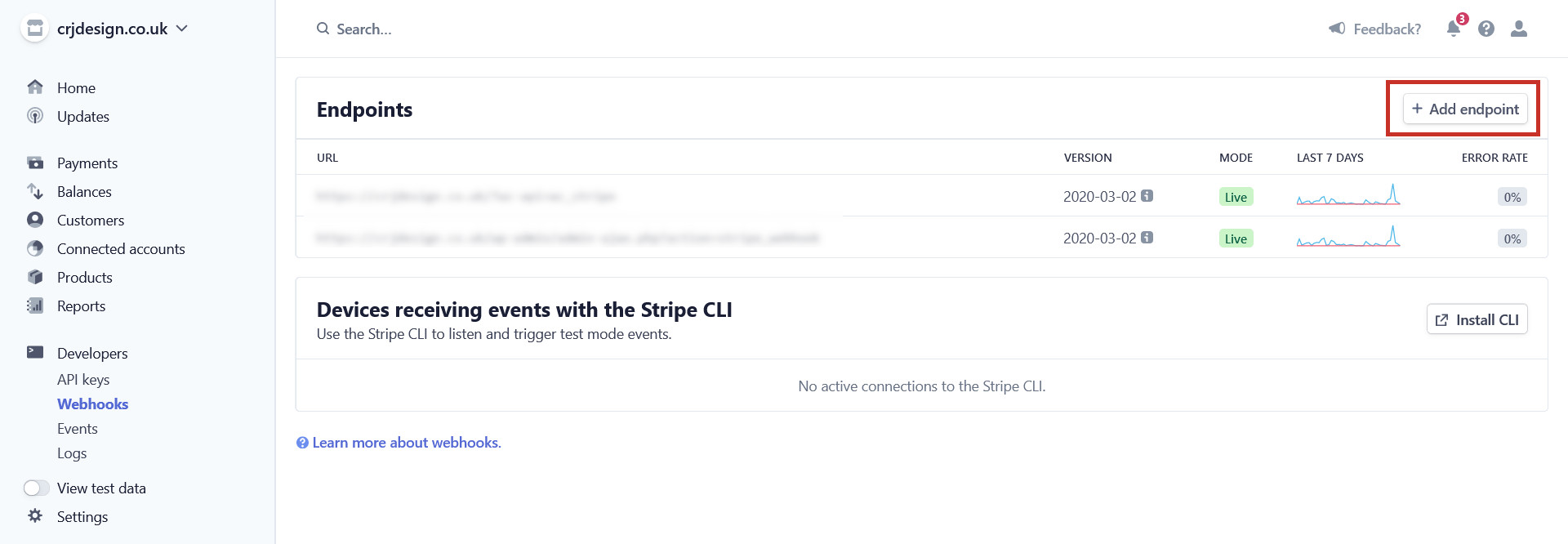
In your Stripe account, navigate to your Webhooks page (https://dashboard.stripe.com/webhooks). In the left-hand menu, this is under the ‘Developers’ heading:
In the top-right corner, click the + Add endpoint button to add your webhook:
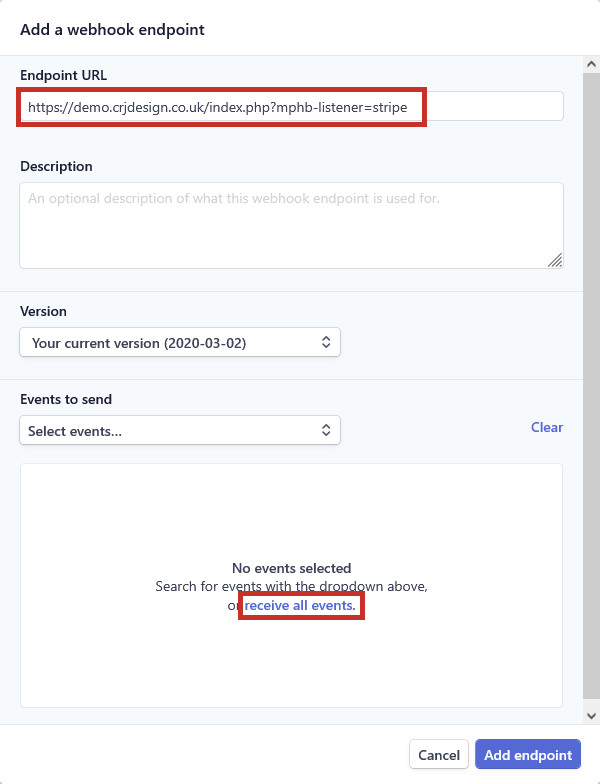
Paste your Webhook URL into the Endpoint URL field, and click receive all events:
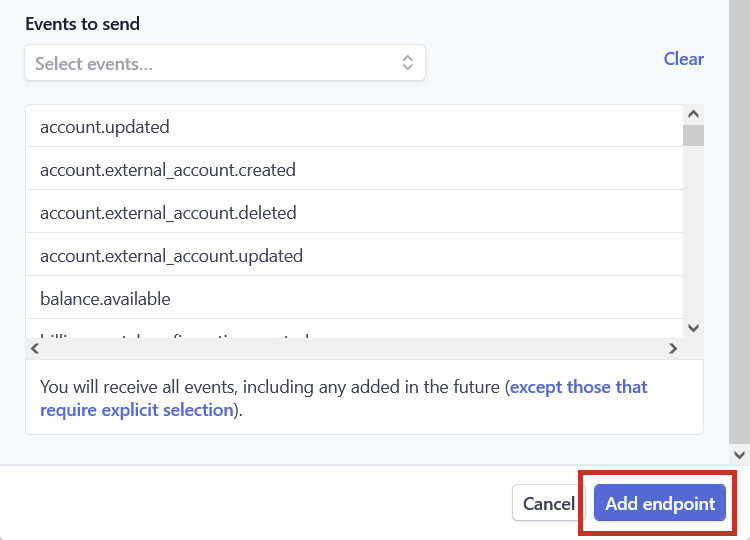
Finally, click the Add endpoint button:
The webhook has now been added to your Stripe account.