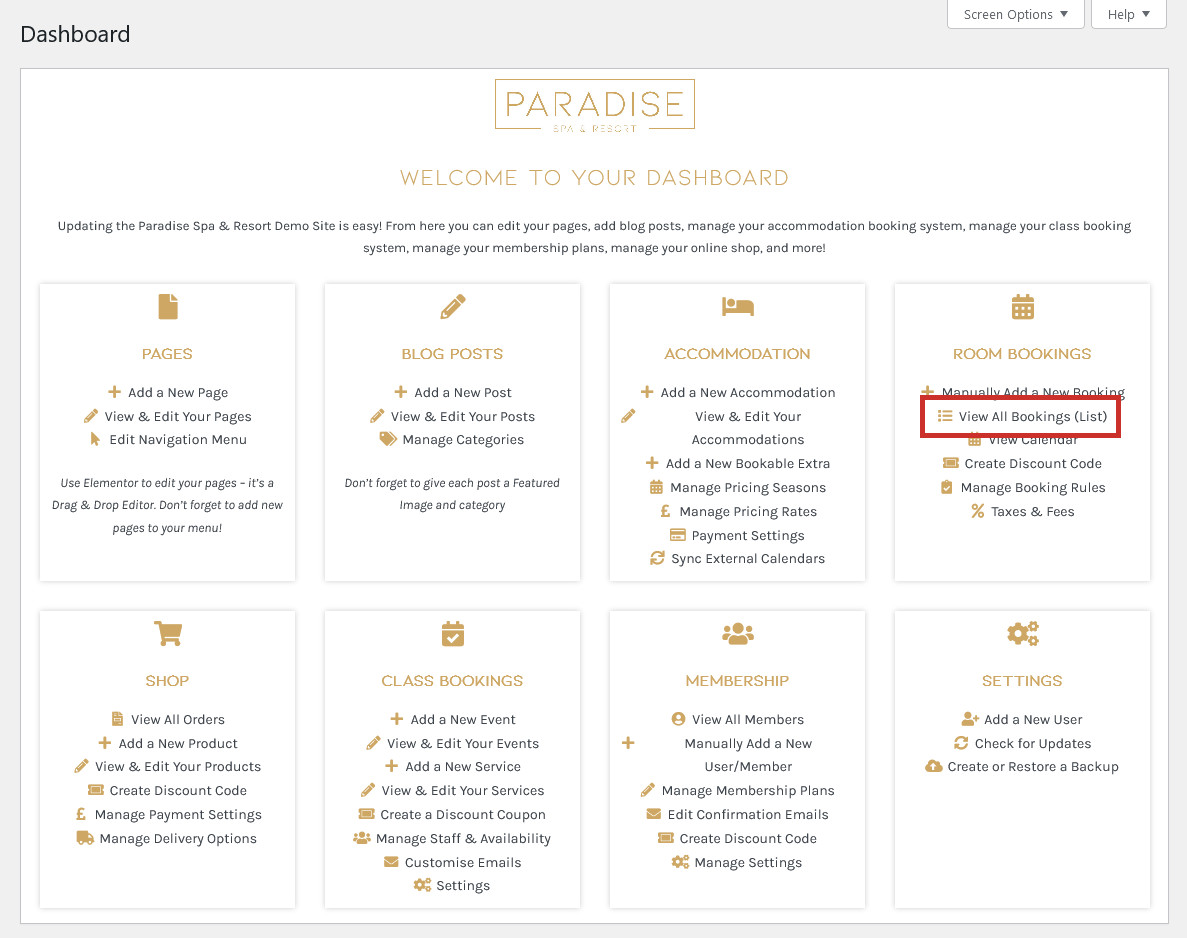
If you need to cancel a guest’s booking, you first need to find the booking in your list. Click ‘View All Bookings (List)‘ in your dashboard under the ‘Room Bookings’ (or similar) heading to view a list of all your bookings:
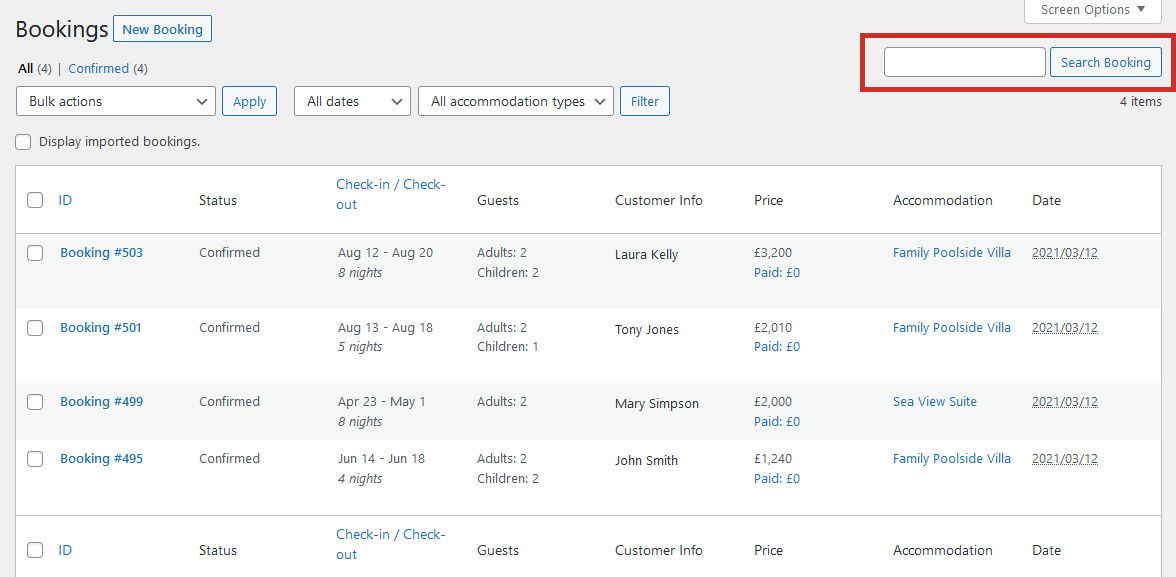
Here you will see a list of all your bookings, listed in order of how recently they were made (bookings which were made most recently are at the top of the list). Find the booking you wish to cancel – the best way is by using the search bar to search for the booking number/ID, or the guest’s name:
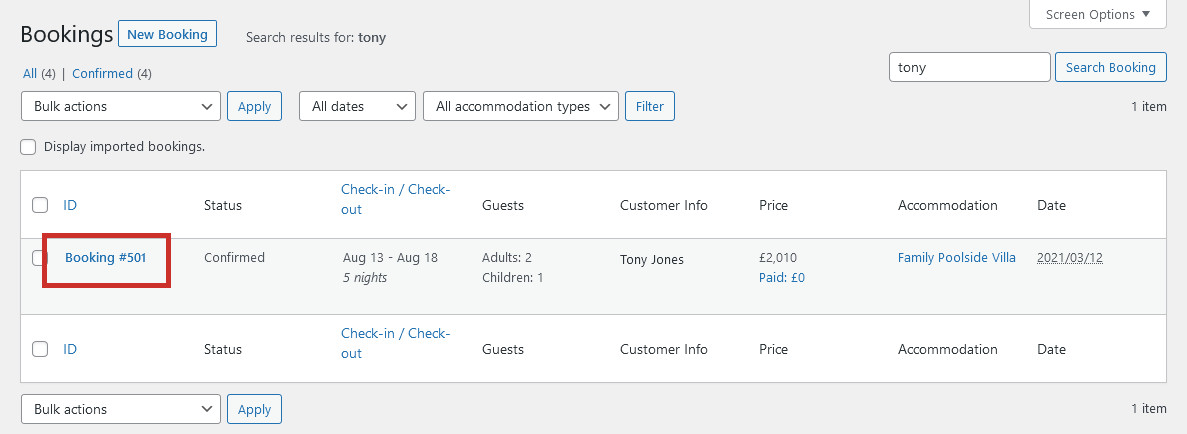
When you have located the booking you wish to cancel, click on it to edit it:
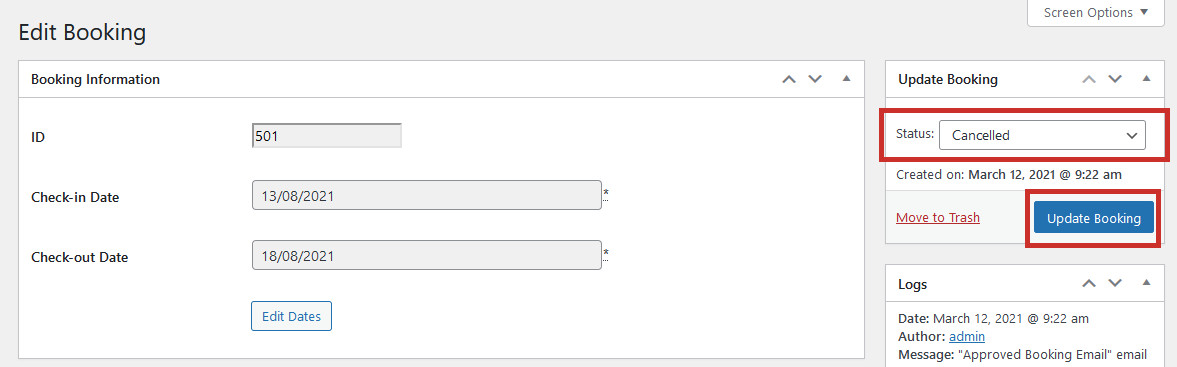
Under the ‘Update Booking’ section, change the status to Cancelled, and click Update Booking:
The booking will be removed from the calendar so the room is available again, and the customer will be notified via email that their booking has been cancelled.
Please NoteRefunds are not processed automatically. If a booking is cancelled and a refund is required, this needs to be issued manually via your payment provider (eg. Stripe, Paypal)