How to delete a product

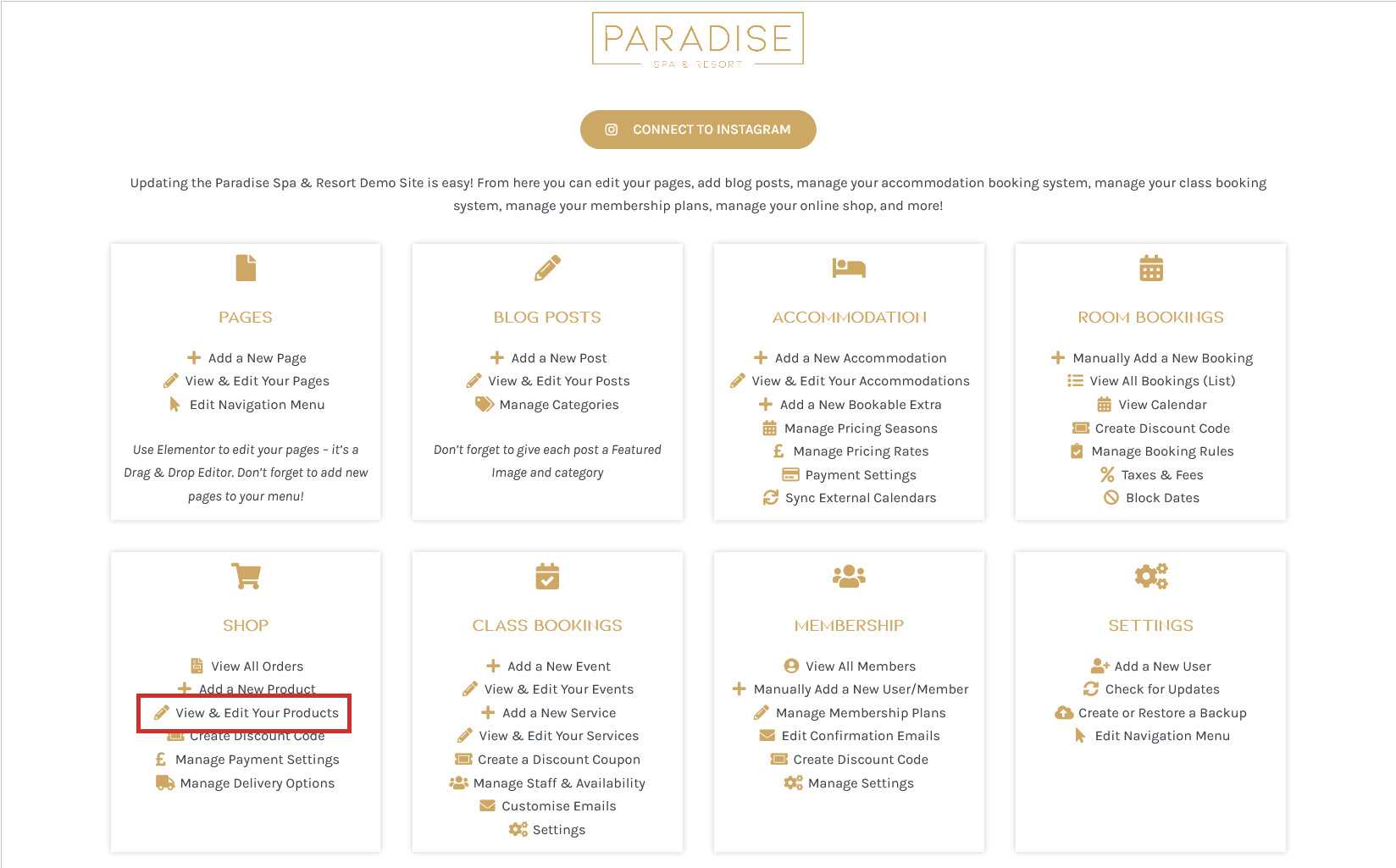
If you need to delete a product from your shop, you can do this in a number of ways. In your dashboard, click the View & Edit Your Products under the ‘Shop’ heading:
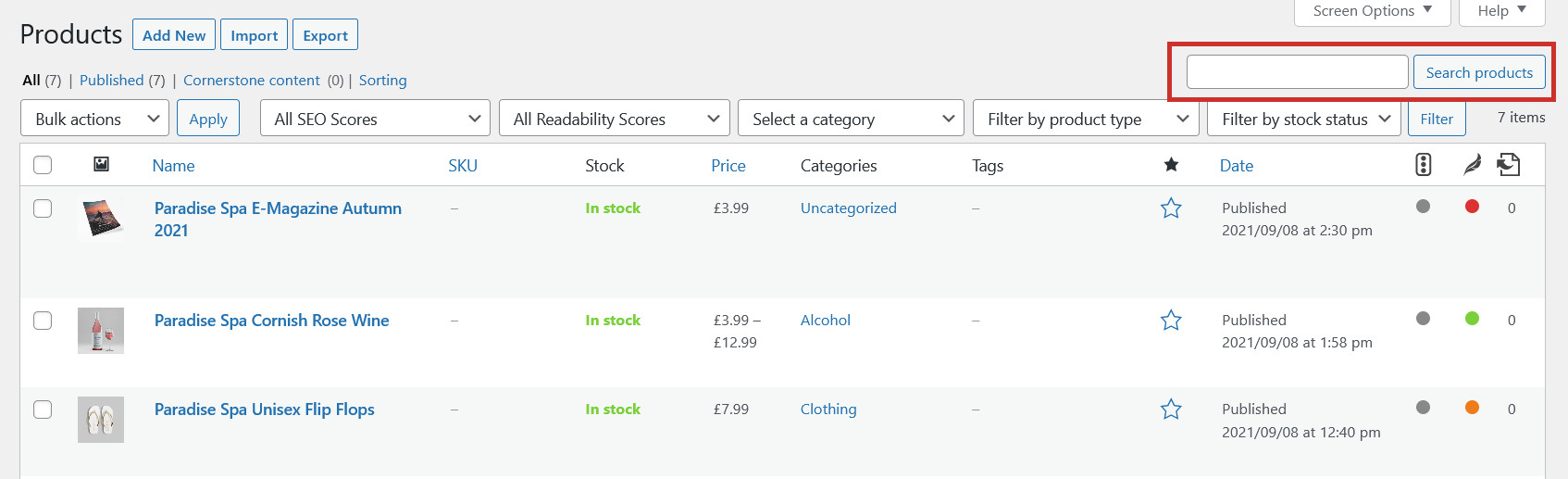
This will show you a list of all your products, which you can browse through or use the search tool to find the product you need to delete:
To delete a product, simply hover over it and click Trash or Bin:
This will remove the product from the website, and you can permanently delete it, or restore it, from the ‘Trash’ or ‘Bin’ tab at the top of the page:
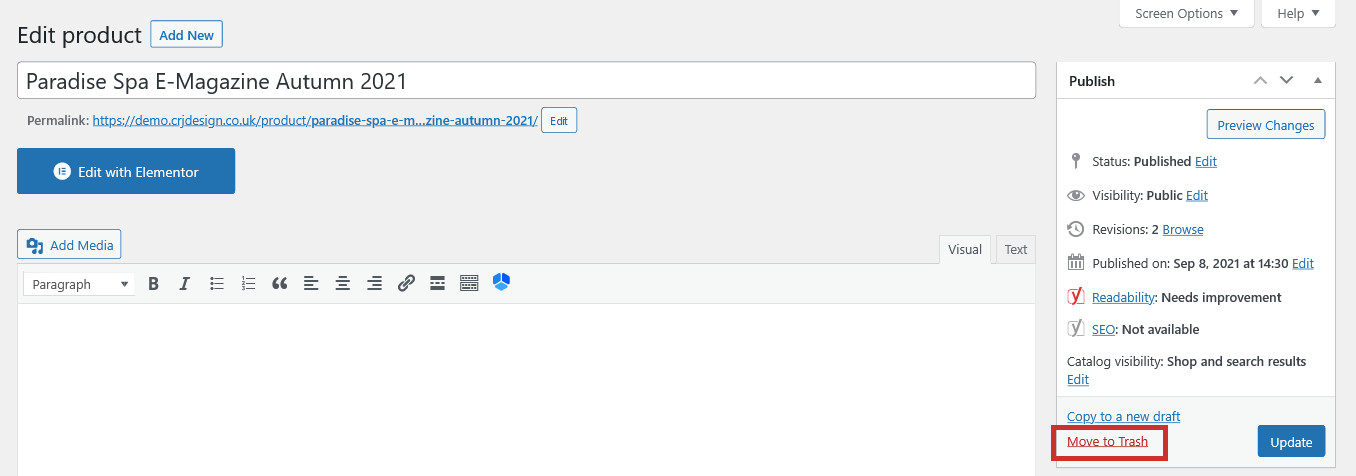
When you are editing a product, you can also delete it from the editor screen using the Move to Trash or Move to Bin button:
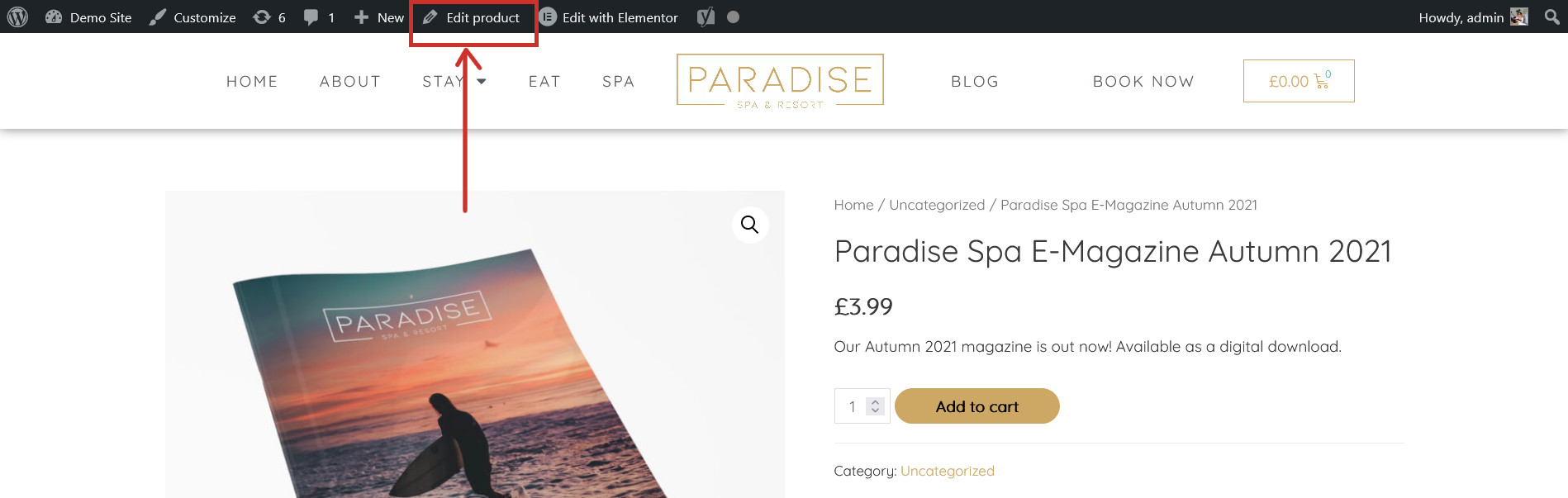
An alternative way to delete a product is to visit the product on your website and click Edit Product in the top toolbar, where you can then delete it from the editor screen (shown above):