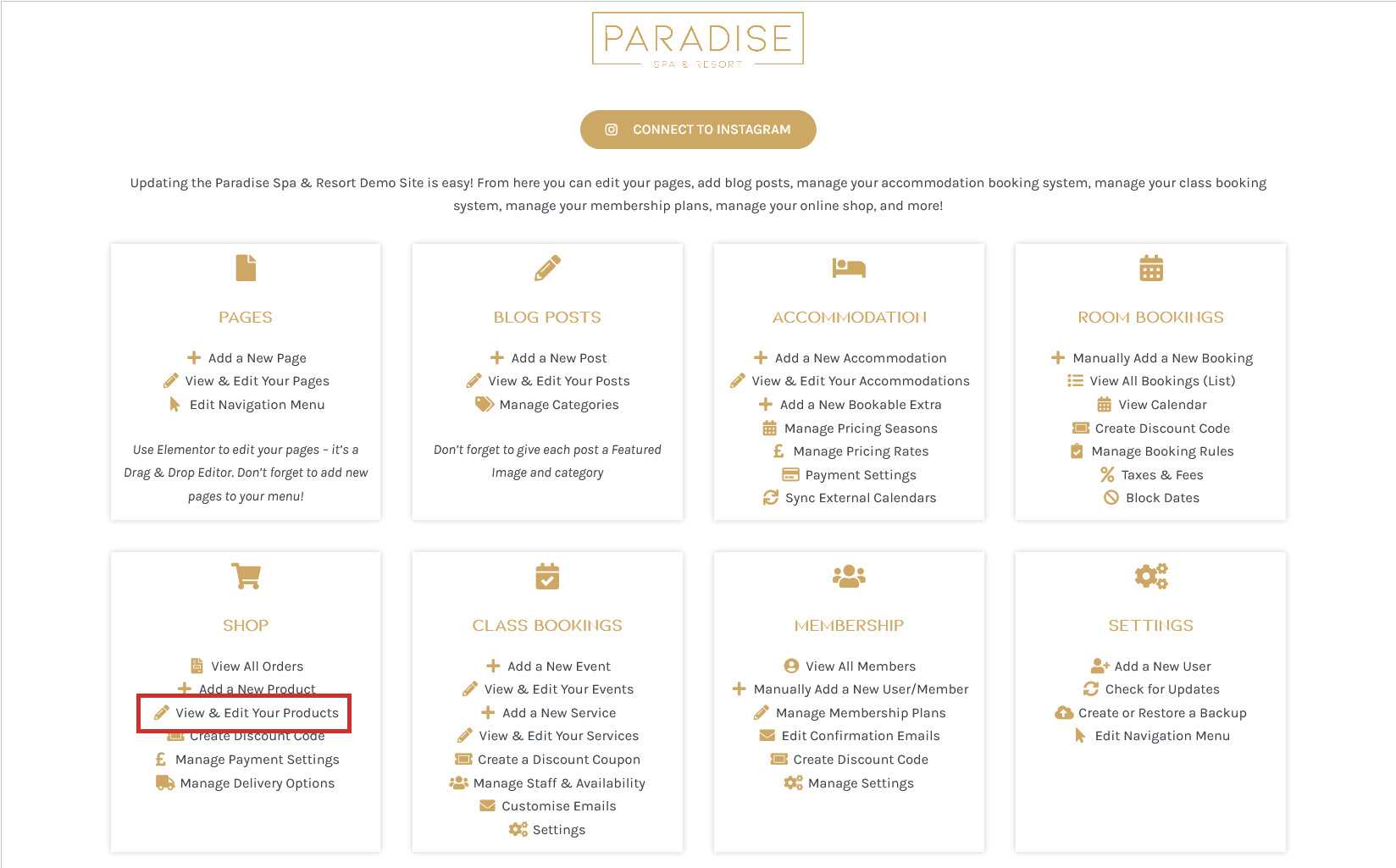
To edit your products, click the View & Edit Your Products link in your dashboard under the ‘Shop’ heading:
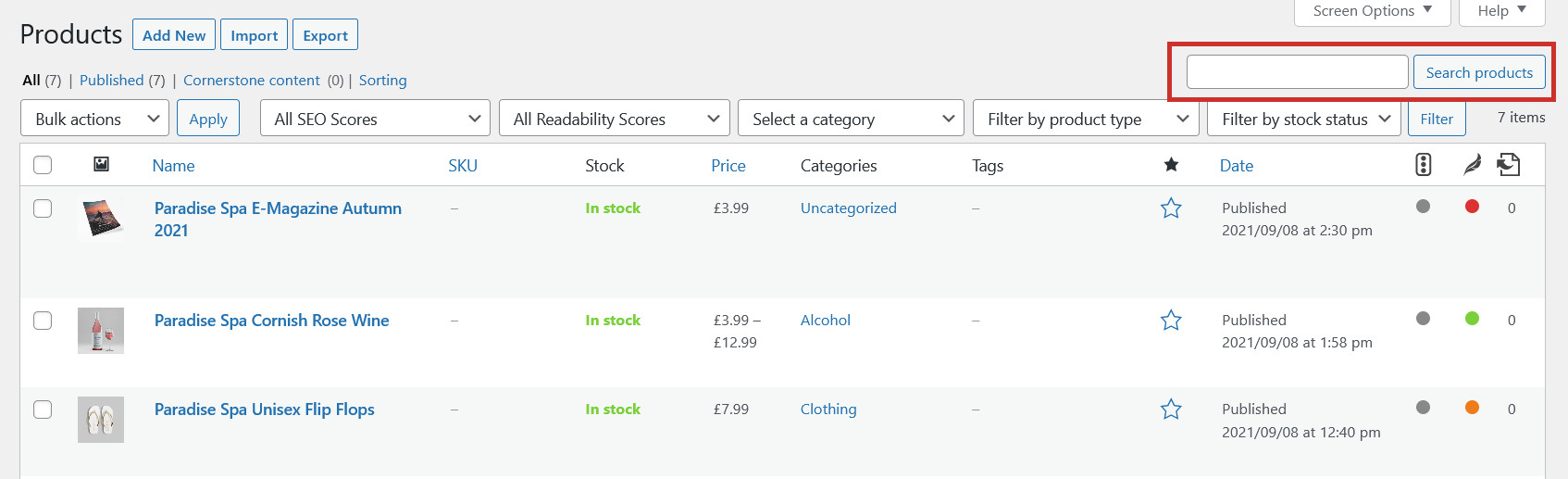
This will show you a list of all your products, which you can browse through or use the search tool to find the product you need to edit:
To make a Quick Edit (change name, category, tags, price, stock) you can simply hover over the product you wish to edit and click Quick Edit:
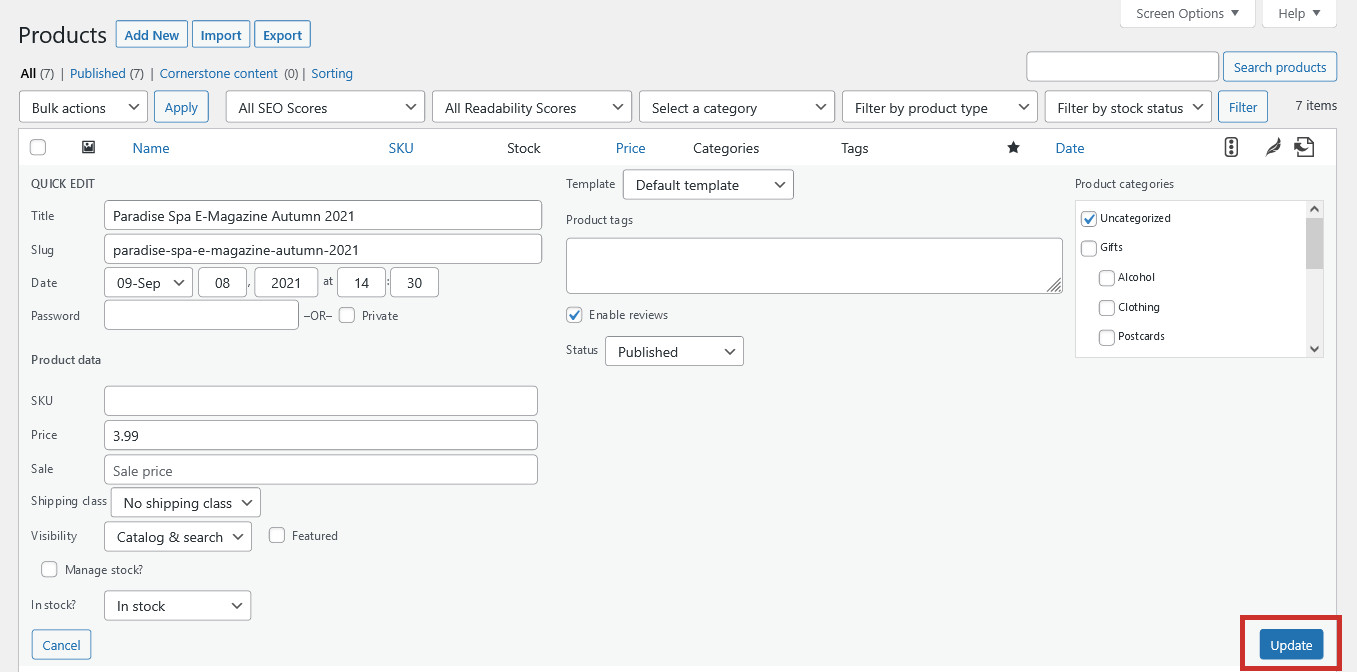
This will open up a Quick Edit interface for the product so you can quickly make the neccessary changes, and then click Update:
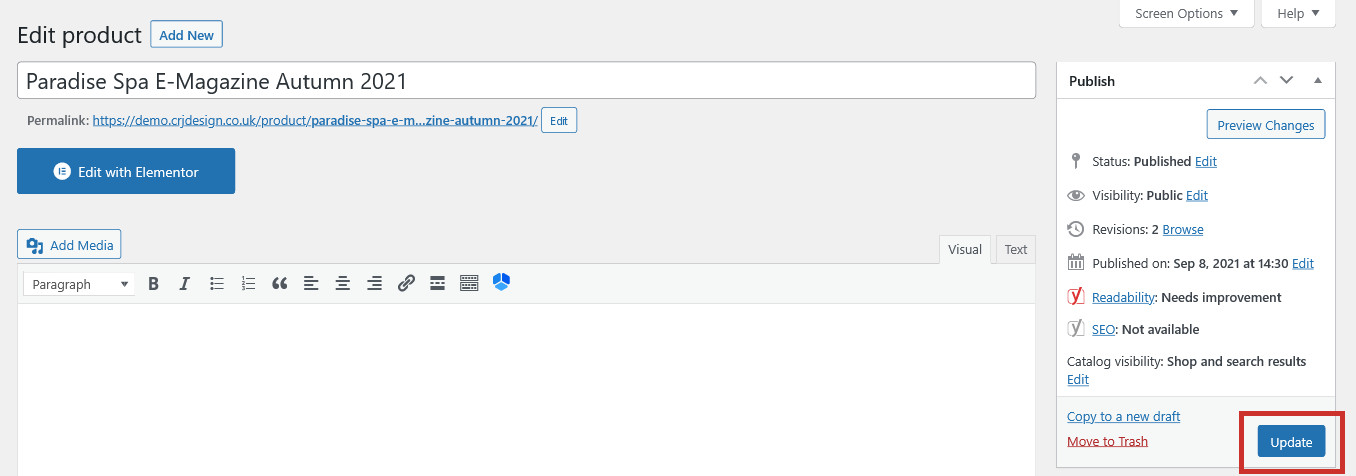
To make more elaborate edits to the product (change the images, edit the descriptions, optimise with Yoast SEO), simply click on the post title to open the editor (or click the Edit link which appears on hover):
Here you can make any changes you need to (or delete the product) and click Update to save your changes:
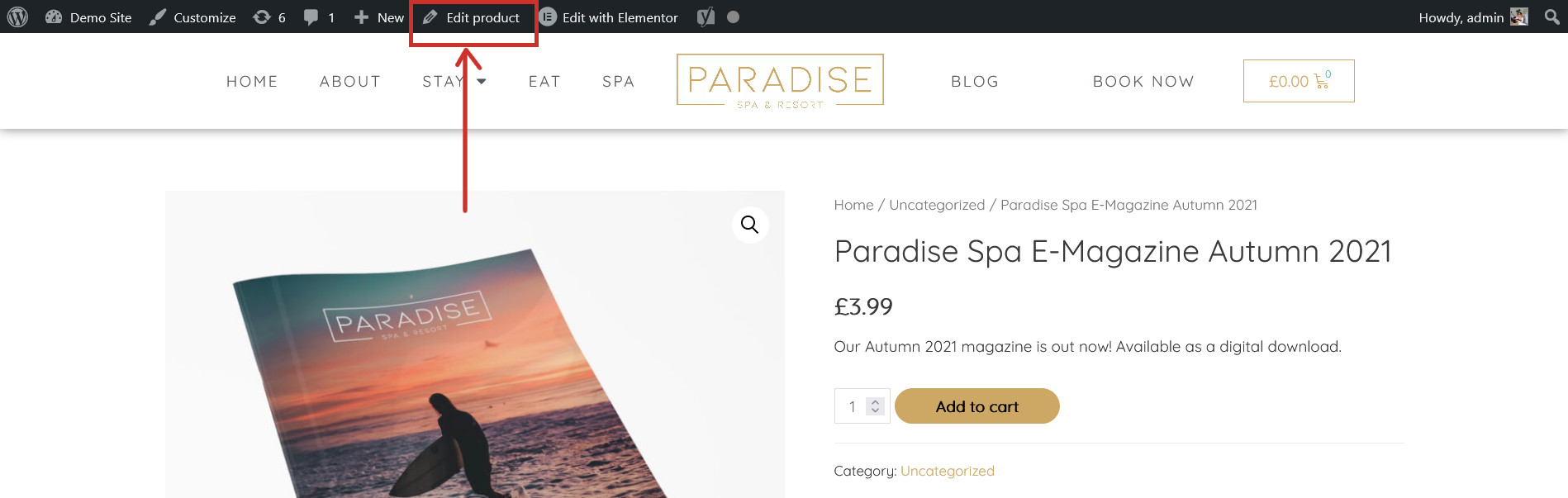
An alternative way to edit a product is to visit the product on your website and click Edit Product in the top toolbar, which will open the editor for it:
After editing your product, you may need to update your social media previews for the changes to show in your Facebook, Twitter & LinkedIn posts.