Home > How to enable 2FA (two-factor authentication) on your website
How to enable 2FA (two-factor authentication) on your website
Please NoteBefore you begin, you must download an authenticator app on your mobile device, such as Google Authenticator, FreeOTP Authenticator, Microsoft Authenticator or LastPass.
2FA, or two-factor authentication, is a security measure that adds an extra layer of protection to online accounts. It requires users to provide two different types of credentials to verify their identity: their password, and a unique code sent to their mobile device. This additional step significantly reduces the risk of unauthorised access to your website, as even if a password is compromised, the attacker would still need the second factor to gain entry.
To enable 2FA on your account, login to your website and click Users from the left-hand menu:
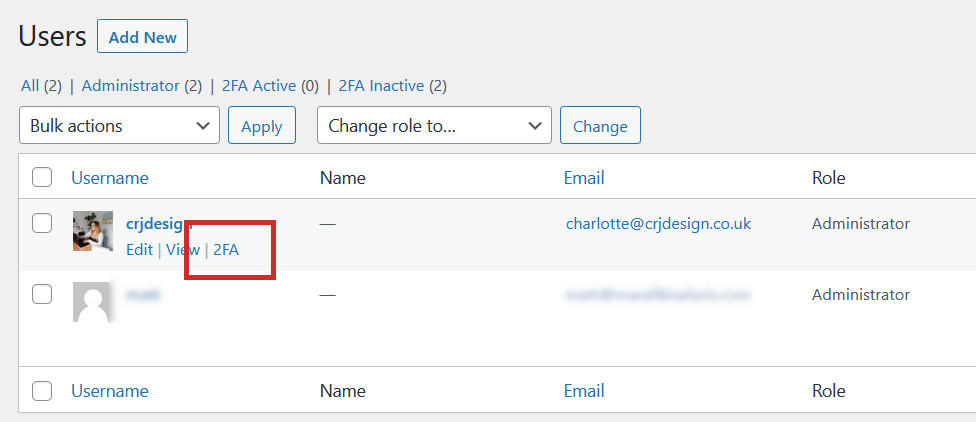
Hover over your account and select 2FA:
Scan the QR code presented to you on the following screen with your Authenticator app:
Enter the code from your Authenticator app in the box below, and click Activate:
You will be asked if you want to download your recovery codes in case you lose access to your authenticator device and can’t login. We recommend you download them for safekeeping, or you can skip:
Two-factor authentication is now active. You will need to enter a new 2FA code from your authenticator app every time you login to your website: