Skip to content
Client Login
Submit a Ticket
Back to CRJ Design
Search
Home
>
Changing text & images in Elementor
Changing text & images in Elementor
You will need a laptop or PC to use Elementor
Because of its drag-and-drop functions, Elementor
is not compatible with mobile devices
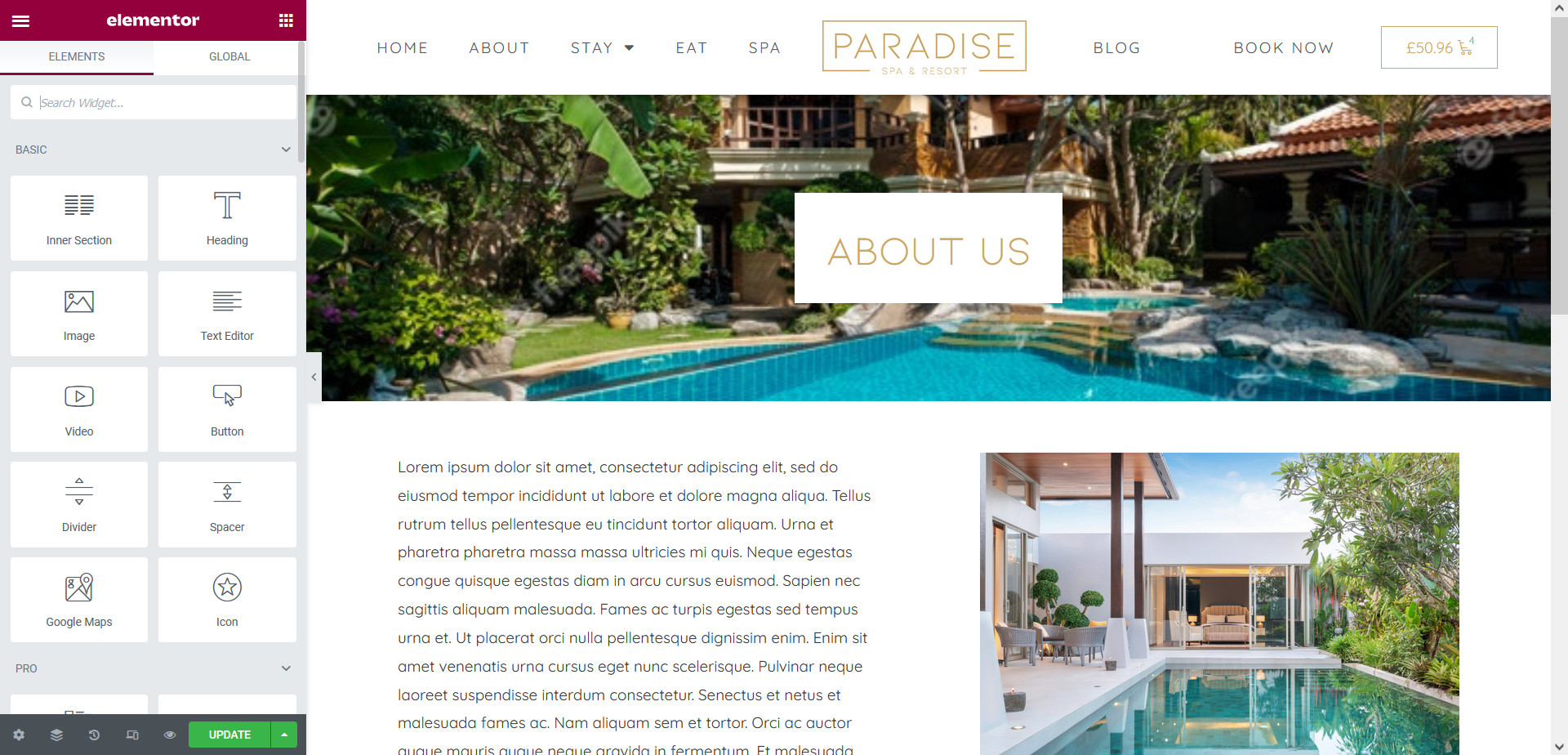
Editing text and images in Elementor is really straight-forward. First,
open the page you’d like to edit in Elementor
:
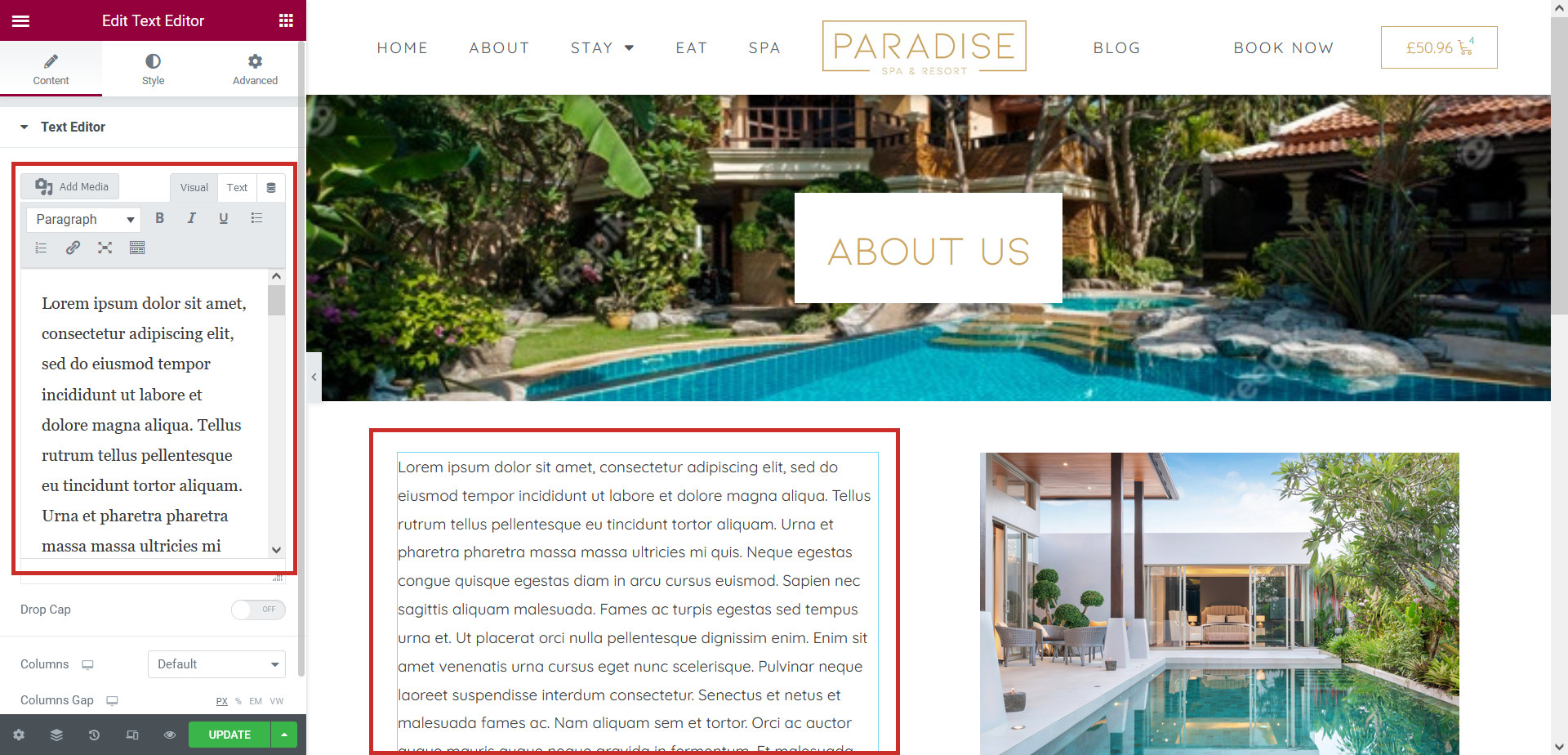
Editing Text
To edit an existing piece of text, simply
click on it
and make your changes in the text editor in the Elementor sidebar:
Changing Images
To swap an image for a new one, simply
click on it
and choose a new image in the Elementor sidebar:
Click
Update
to save your changes.
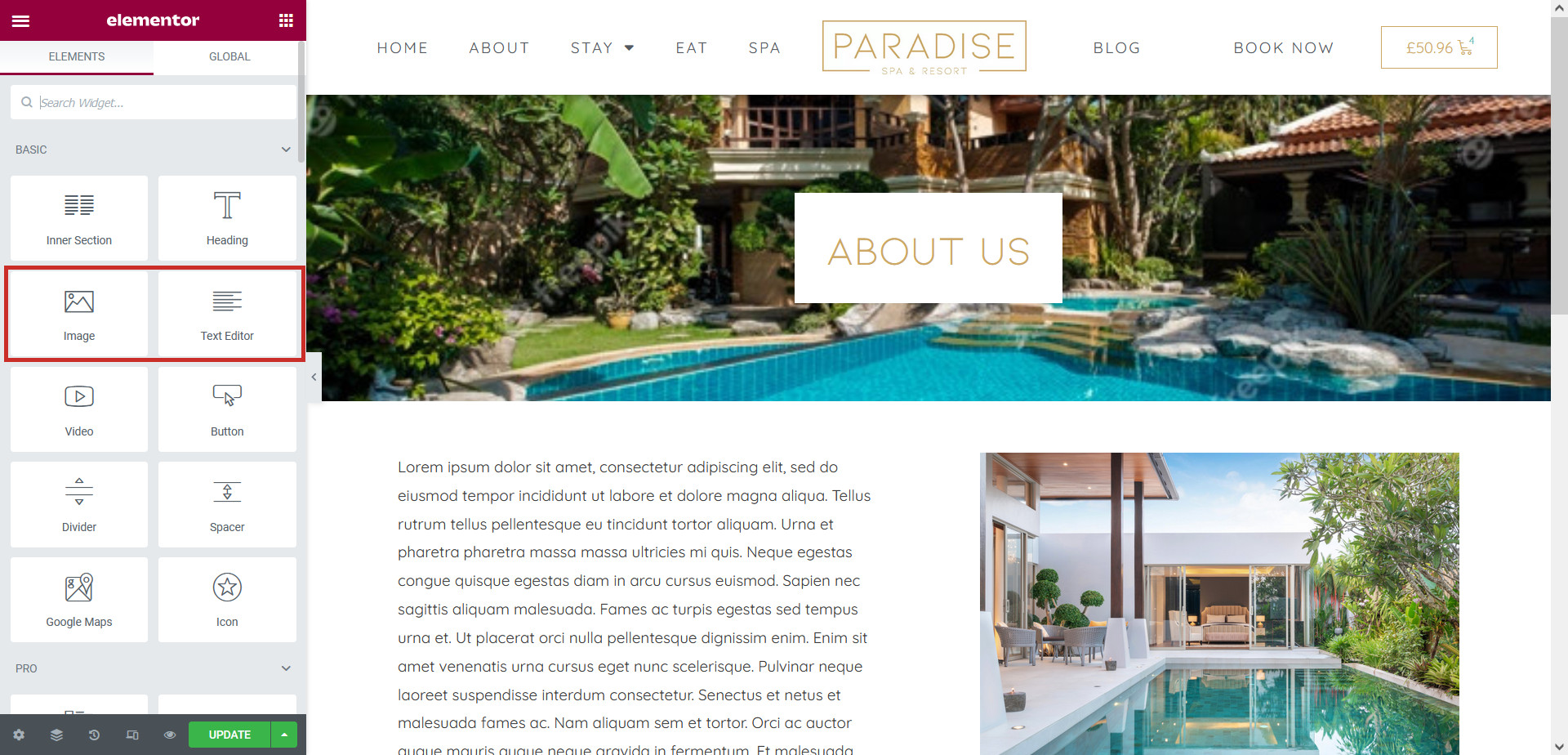
You can also drag new text blocks and images onto the page if needed using the Elementor widgets:
Related Articles
Editing sliders in Elementor
Adding contact forms in Elementor
Edit your site’s header & footer with Elementor