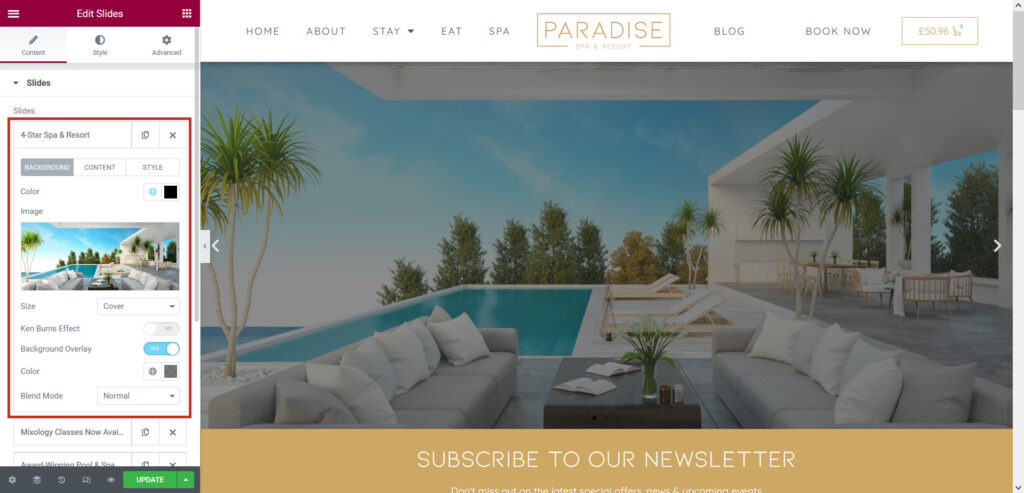
Your website may have a slider widget in place. Typically displayed on the home page, this is a slideshow or carousel showcasing different parts of your business/website. Here is an example of a slider:
When editing or adding another slide, you can add a background image and optional background overlay, and optionally set a Ken Burns Effect (this will cause the background to slowly zoom in or out):
In the Content tab, you can add a title, description, and button to the slide: