Skip to content
Client Login
Submit a Ticket
Back to CRJ Design
Search
Home
>
How to change your site logo
How to change your site logo
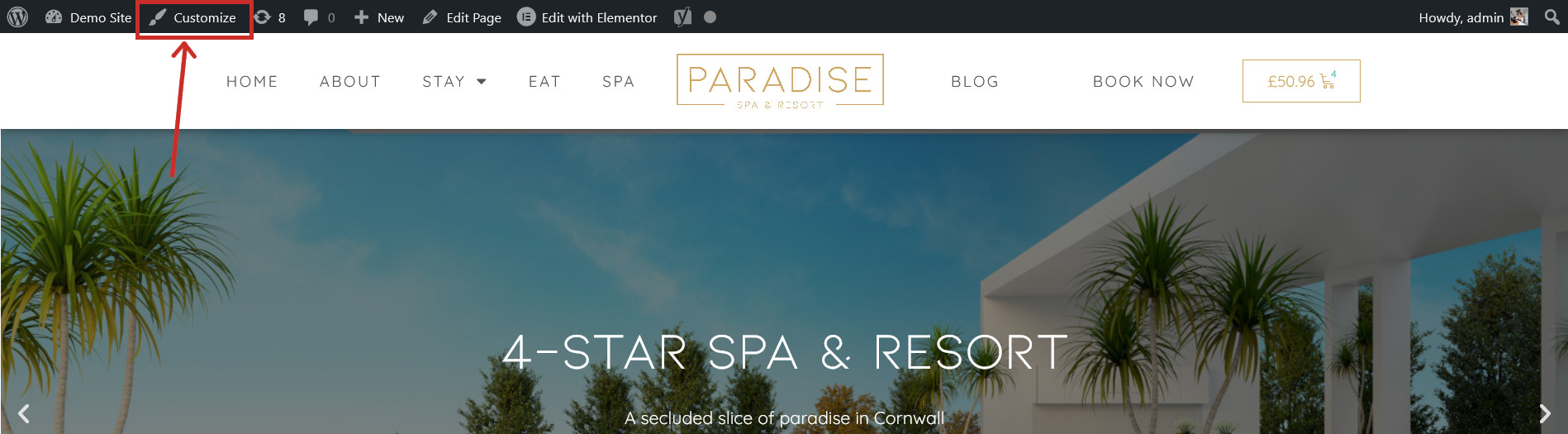
If you’ve had a rebrand and need to swap your website’s logo for a new one, this can be done in the Customiser. Visit any page on your website and click the
Customise
button in the top toolbar:
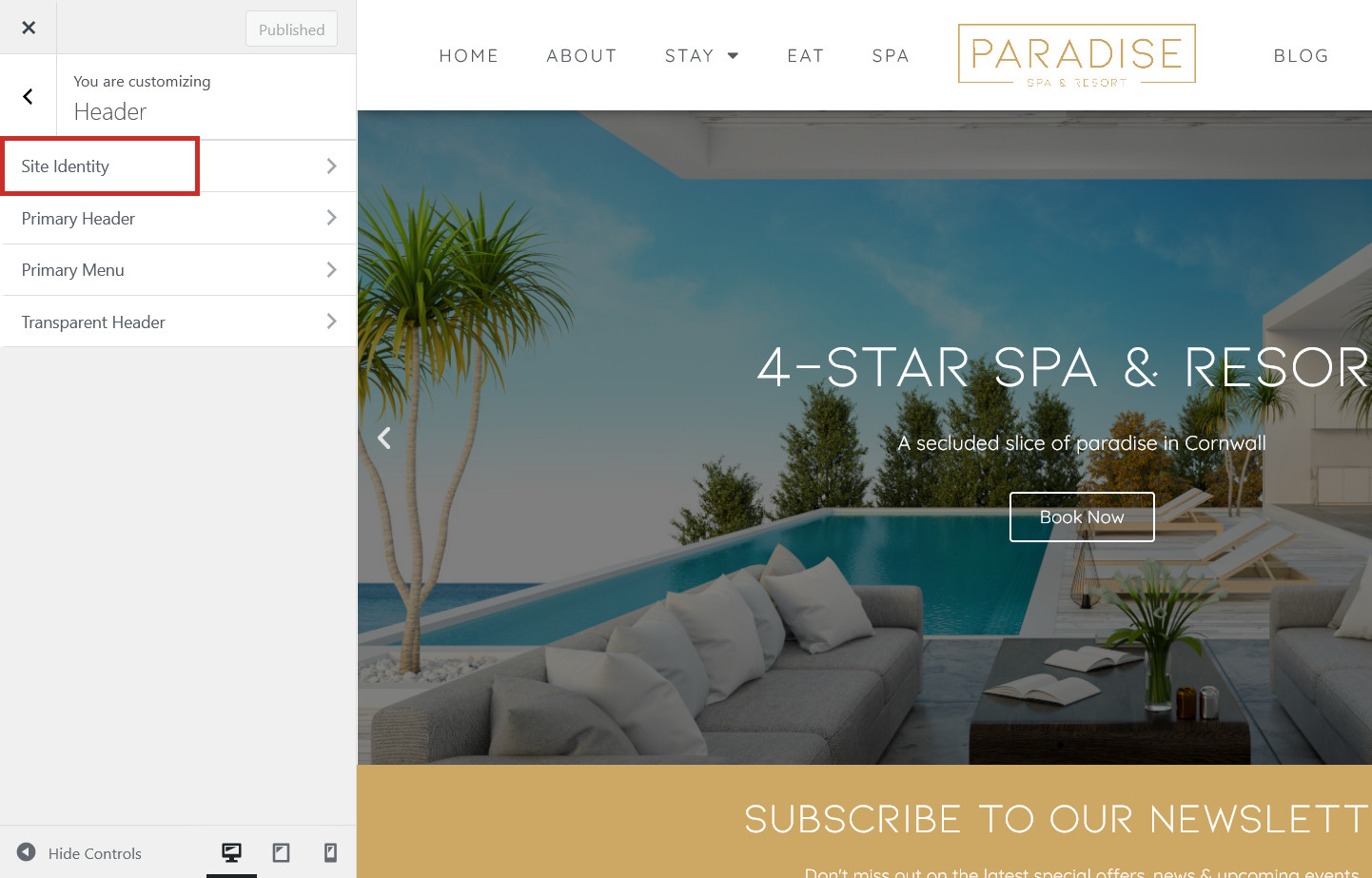
Navigate to
Header
, then
Site Identity
:
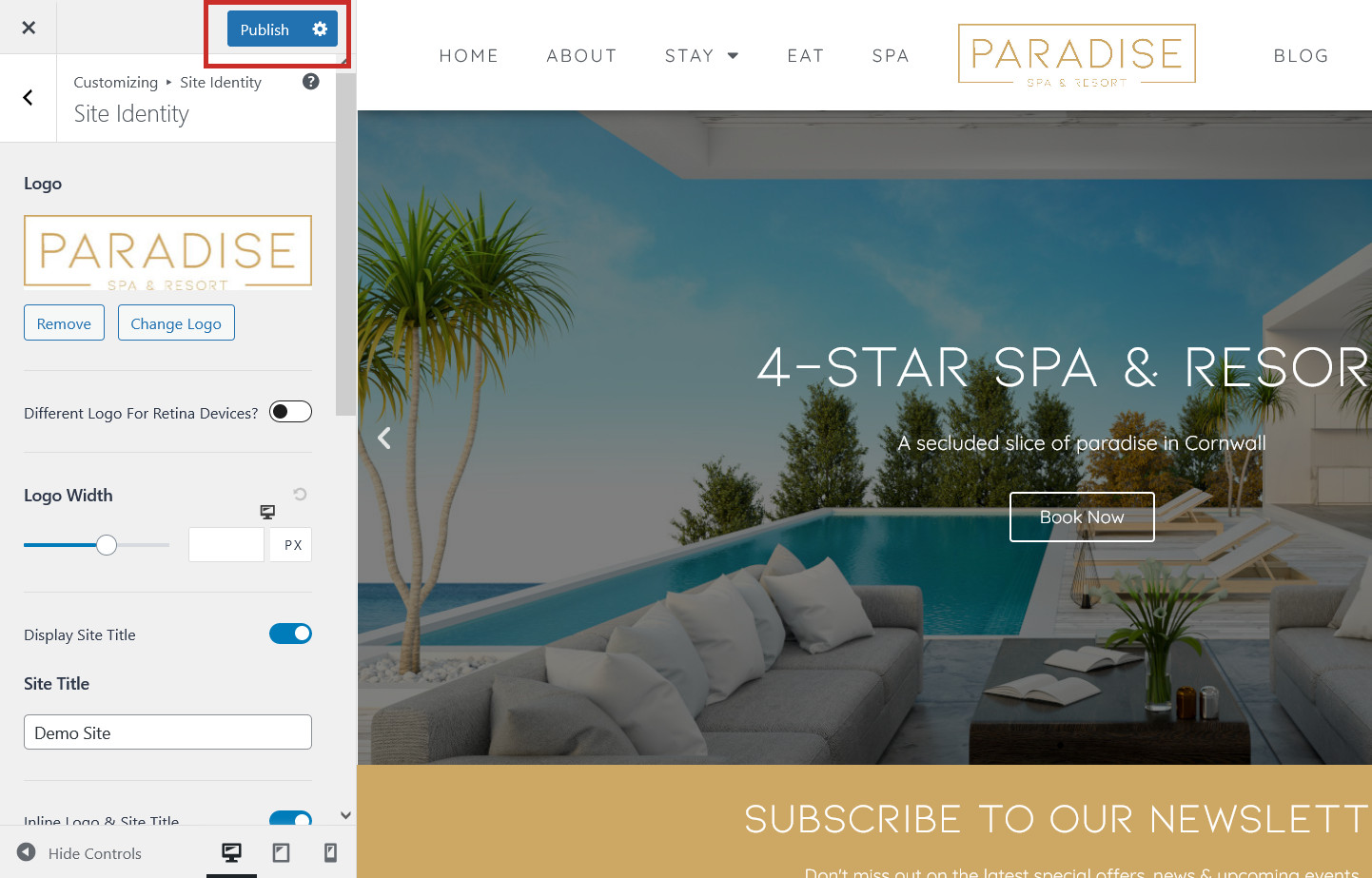
Click
Change Logo
to upload a new logo image:
Click
Publish
to save your changes:
Related Articles
How to enable 2FA (two-factor authentication) on your website
How to link your Instagram account
How to create or restore a backup