Home > How to sync your accommodation’s external calendars
How to sync your accommodation’s external calendars
Please NoteIt is important to note that bookings are not imported or exported straight away, so there is still the rare possibility of becoming double-booked. This is why it is essential that you cross-check any new bookings with your existing ones.
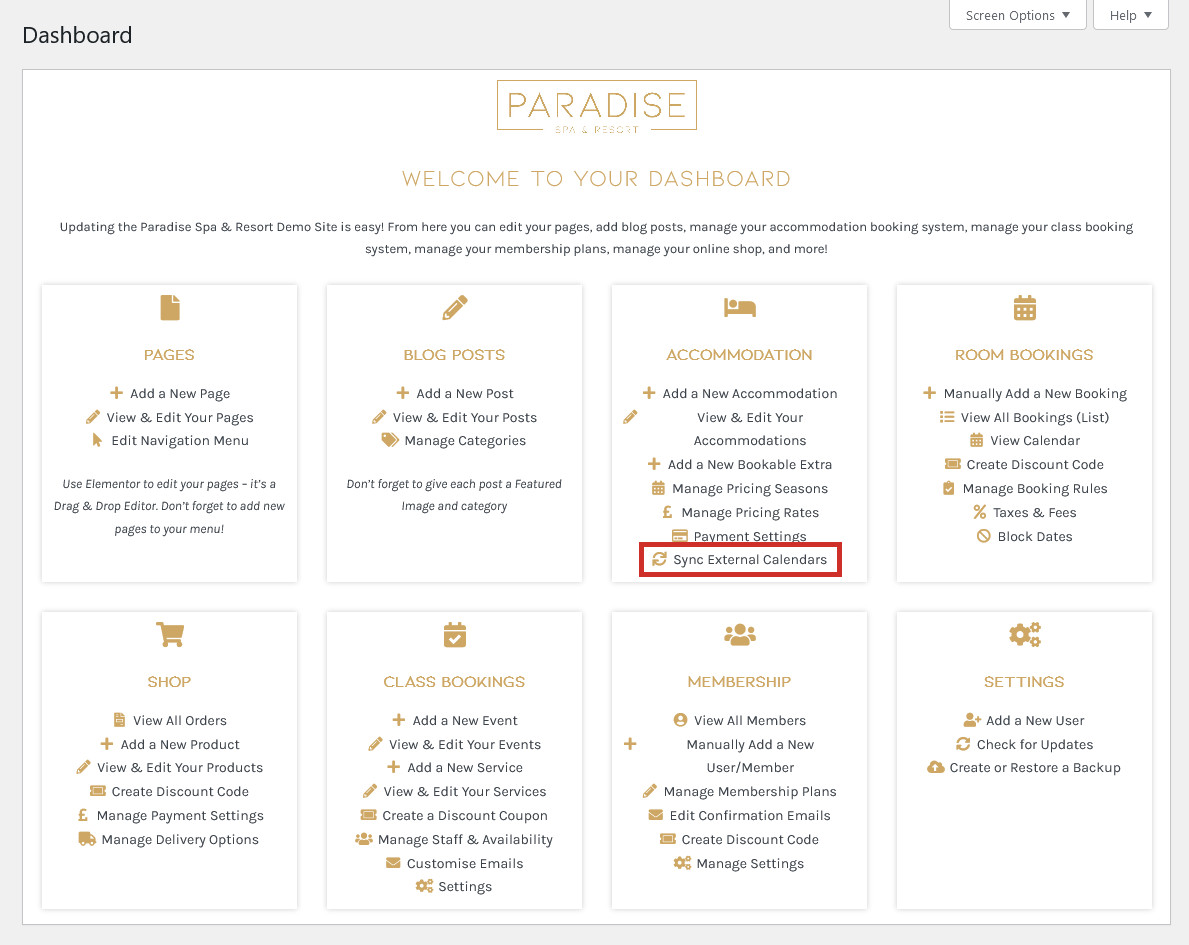
If your accommodation is listed on other travel/booking websites, such as Airbnb, Booking.com or TripAdvisor, this can be achieved using iCal syncronisation. To manage the syncronisation of your accommodation with other booking websites, click the ‘Sync External Calendars‘ link in your dashboard under the ‘Accommodation’ heading:
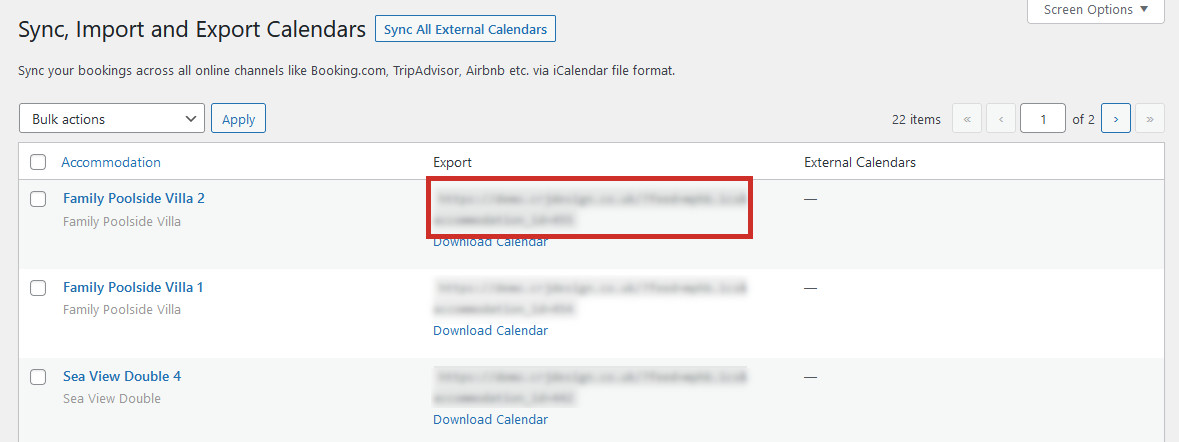
On this page you will see every single one of your accommodations listed, with a link to download/export its calendar. You may also see the external calendar (eg. Airbnb, Booking.com) for your accommodations if they have previously been set up.
Synchronising with Airbnb
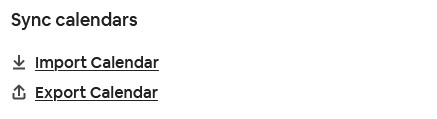
In your Airbnb account, navigate to the Availability section of your listing from within your Hosting account and scroll down to the Sync calendars section. You will need to Import the calendar from your website into Airbnb, and Export the calendar from Airbnb into the website:
From the Sync calendars page of your website, you will see a URL next to your accommodation for the calendar which will look something like this: https://yourwebsite.co.uk/?feed=mphb.ics&accommodation_id=93:
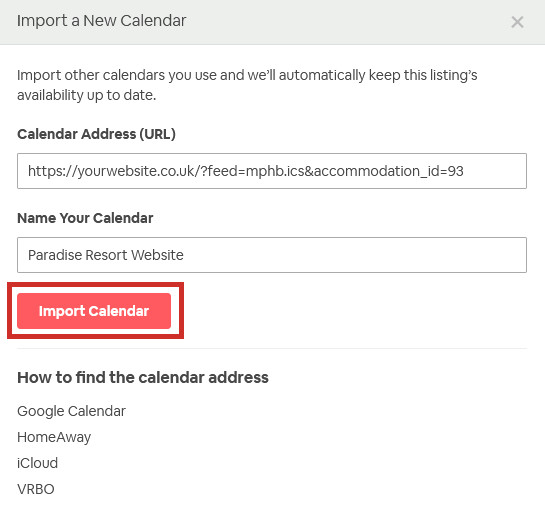
Copy and paste this into the ‘Import Calendar‘ link in Airbnb. Give the calendar a relevant name such as ‘Paradise Resort Website’, and click Import:
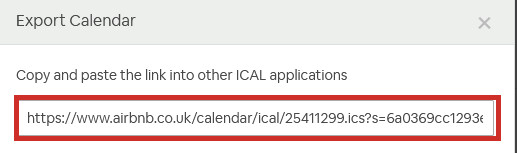
Next, click the ‘Export Calendar‘ link in Airbnb and copy the URL provided:
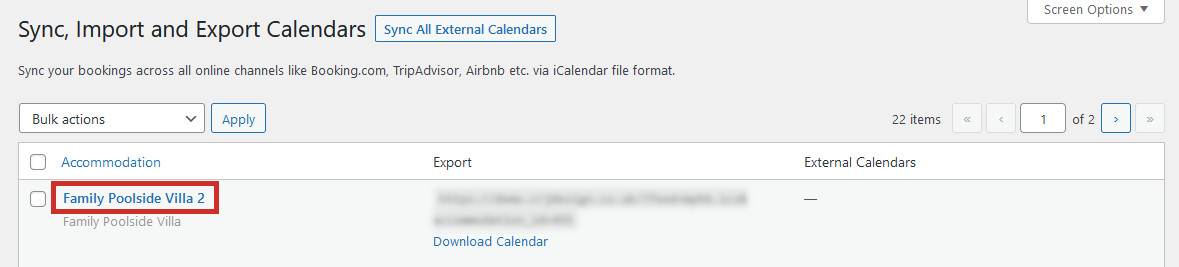
Go back to the Sync calendars page on your website and click on the accommodation which you want to import the Airbnb bookings into:
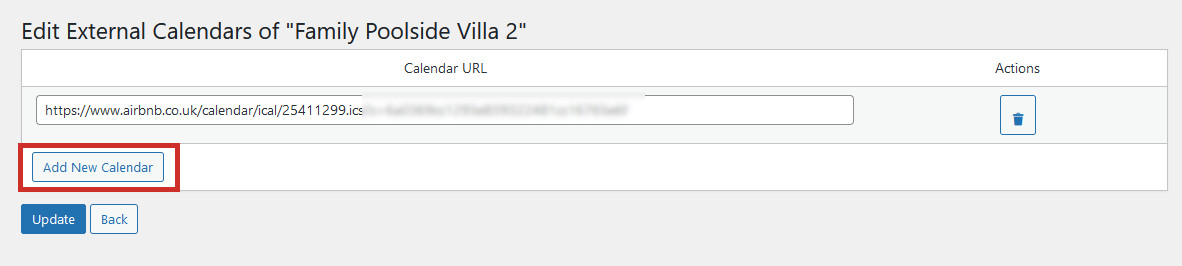
Click ‘Add New Calendar‘, paste the URL you got from Airbnb into the Calendar URL field, and click ‘Update’:
Synchronising with Booking.com
Coming Soon
Forcing the calendars to sync
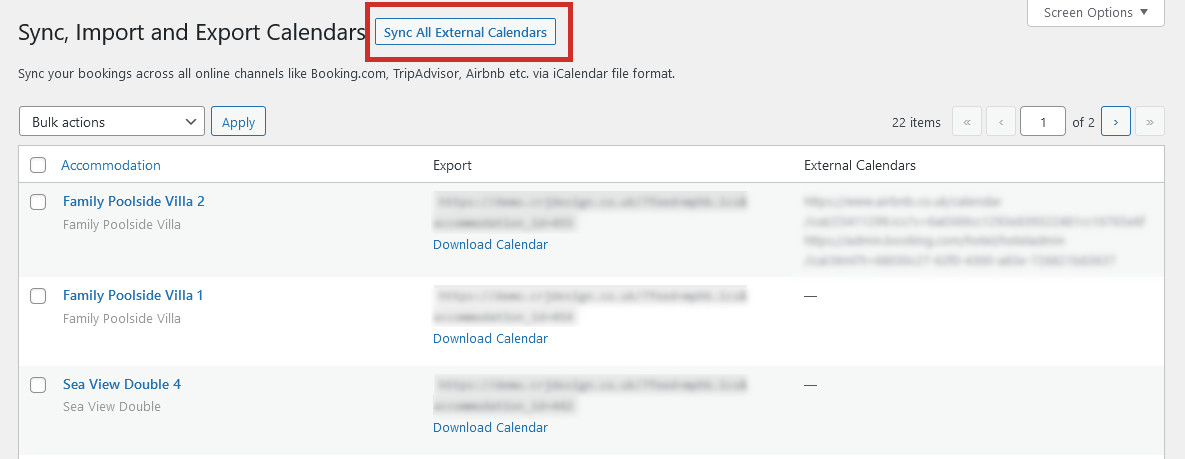
By default, the accommodation booking system will syncronise with your external calendars to check for new bookings every 15 minutes. To force a new sync of your calendar, which may be helpful if you had lots of bookings come through at once and want to keep your system up-to-date, click the ‘Sync All External Calendars‘ button at the top of the Sync Calendars page.
This will force the booking system to check your connected OTA’s calendars for new bookings, before the scheduled automatic sync: