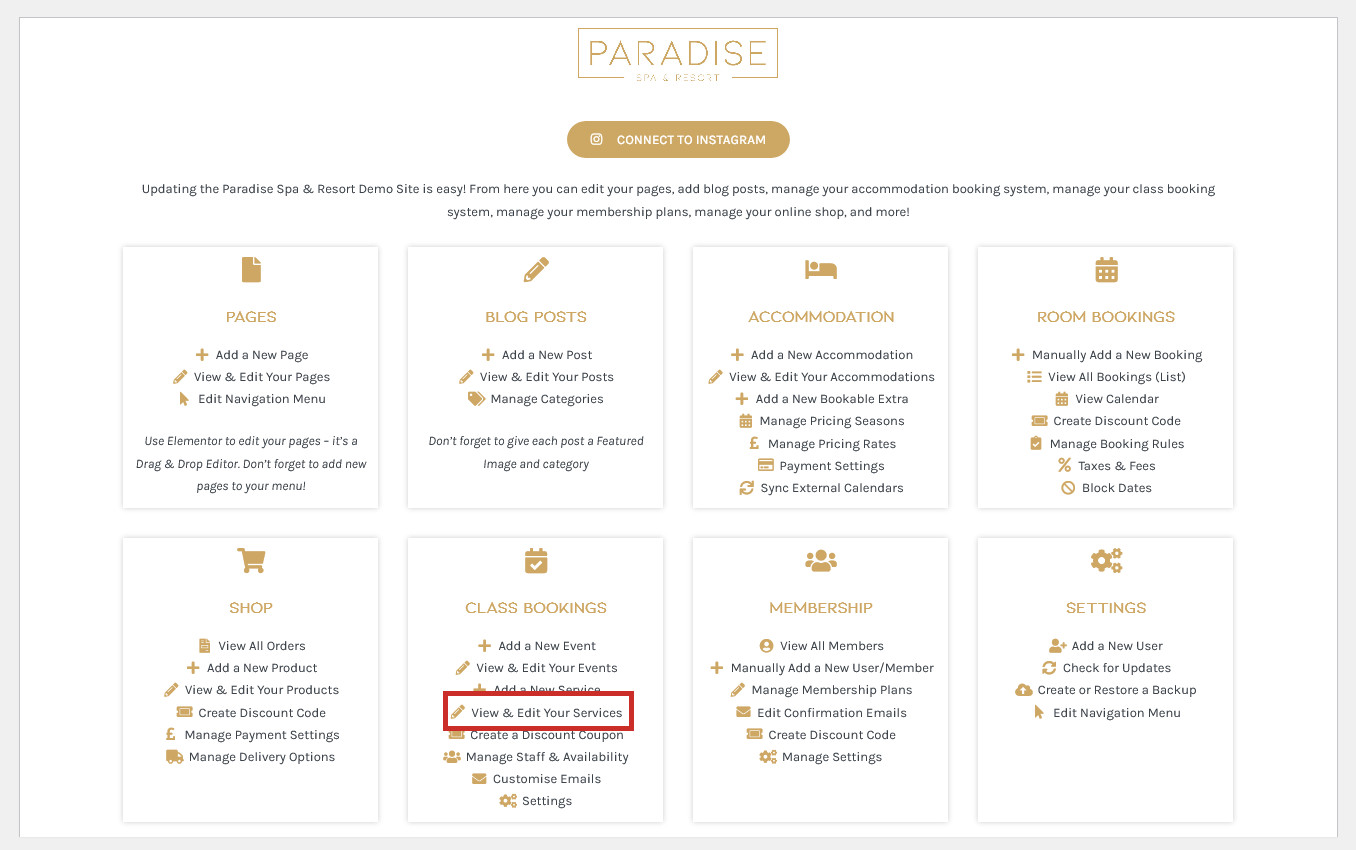
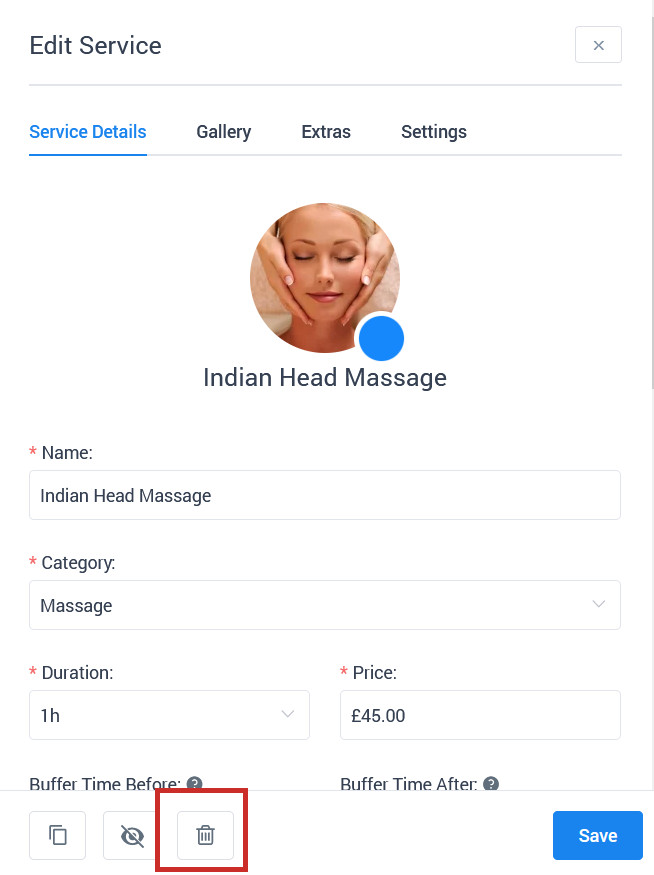
To edit or delete a service, use the View & Edit Services link in your dashboard under the ‘Bookings’ or similar heading:
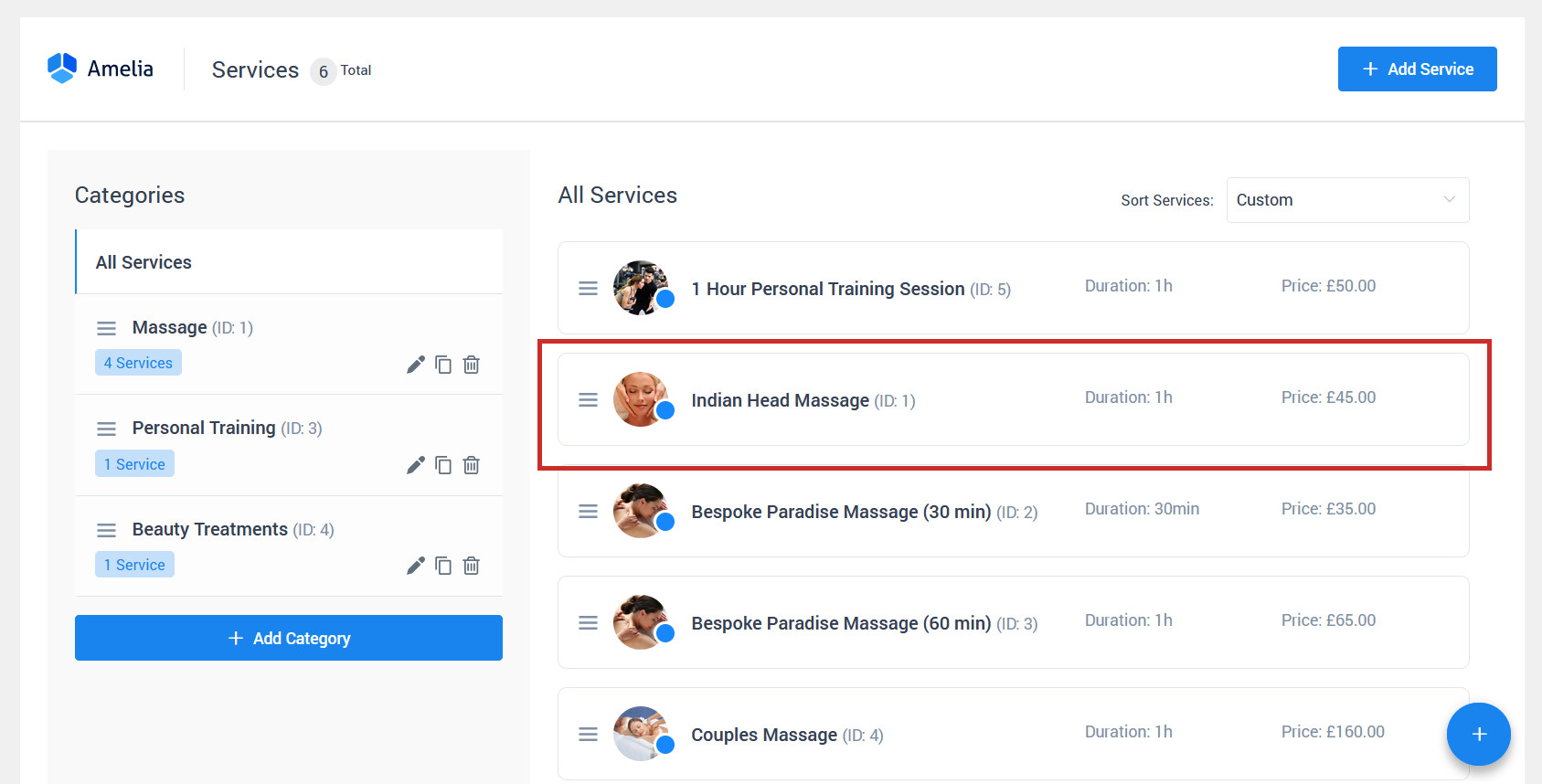
Click on the service you wish to edit or delete:
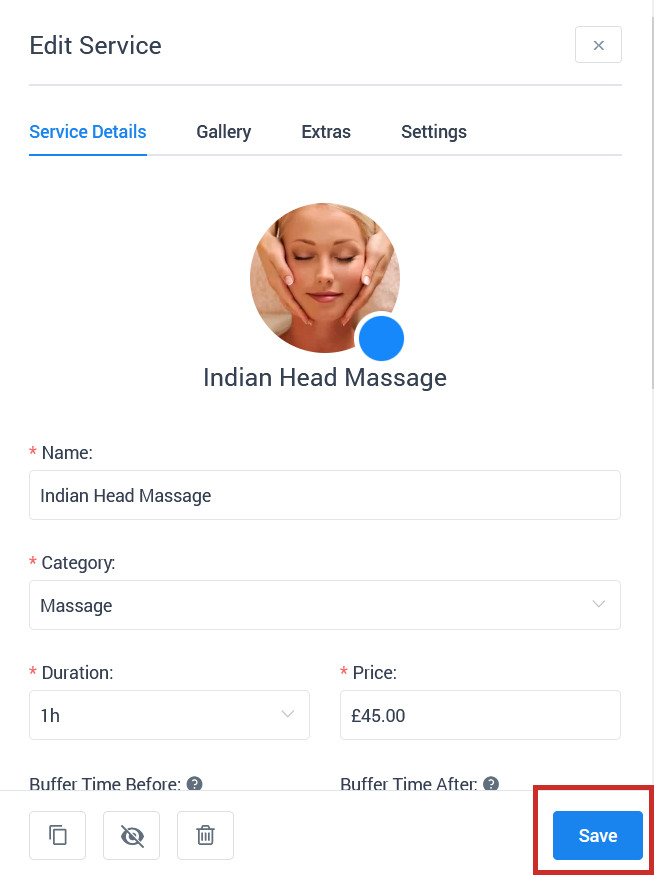
To edit the service, simply make your changes and click Save:
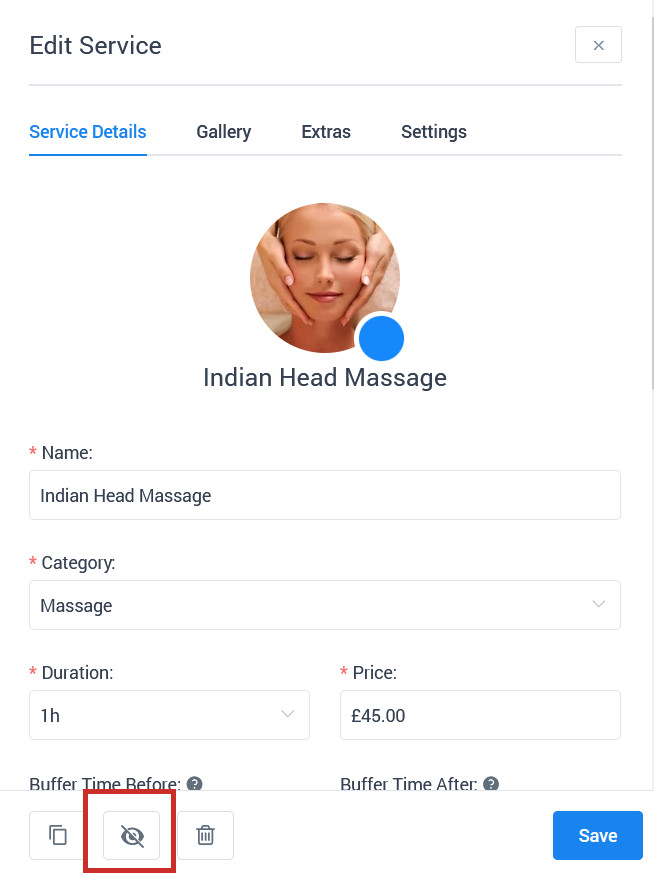
To hide the event (so it is not visible to customers and can’t be booked, but still exists in your booking system and can be shown again at a later date), use the Hide button: