Home > How to manage locations for your appointment booking system
How to manage locations for your appointment booking system
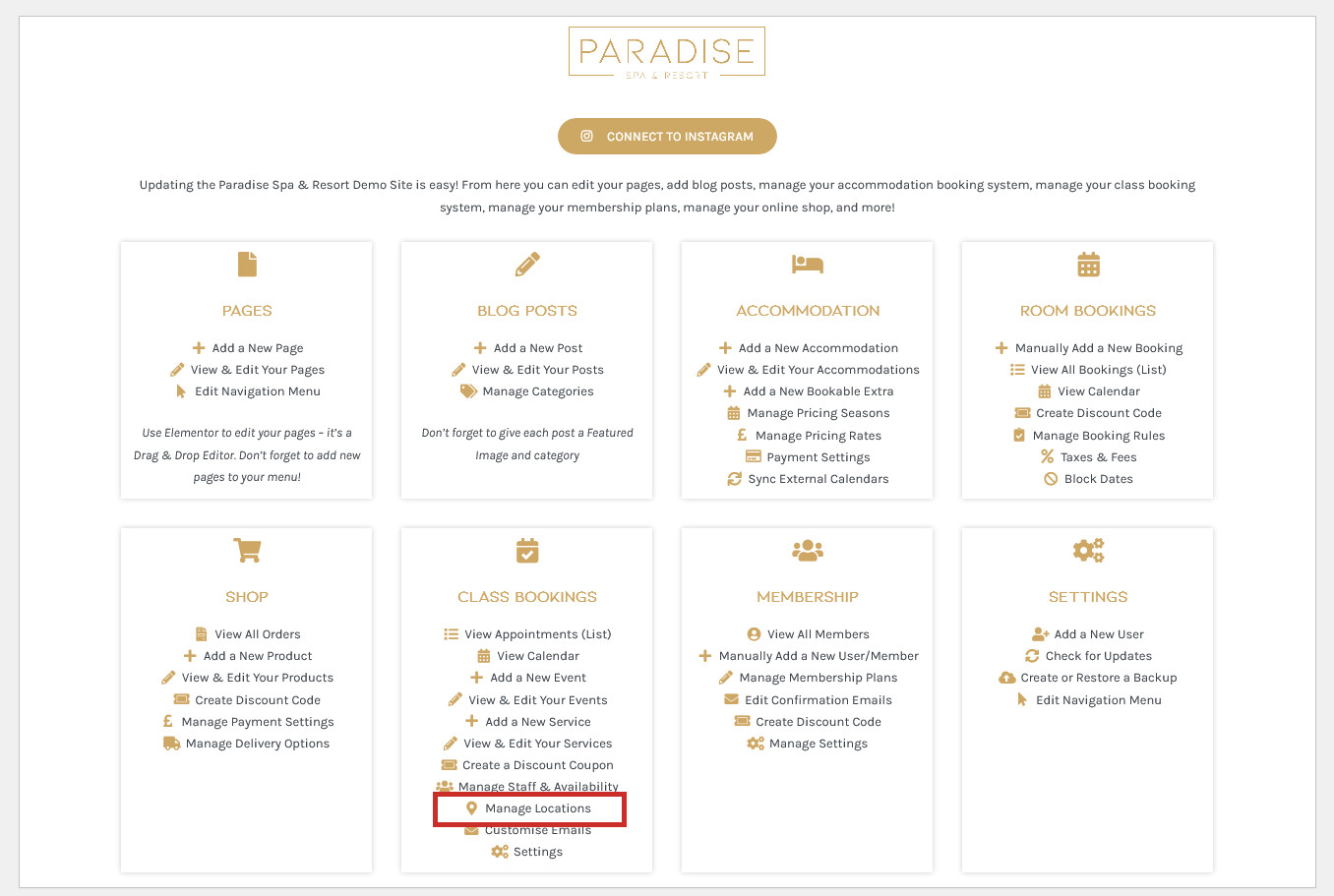
If your business operates from various locations, these can be managed by clicking the Manage Locations link in your dashboard under the ‘Bookings’ or similar heading:
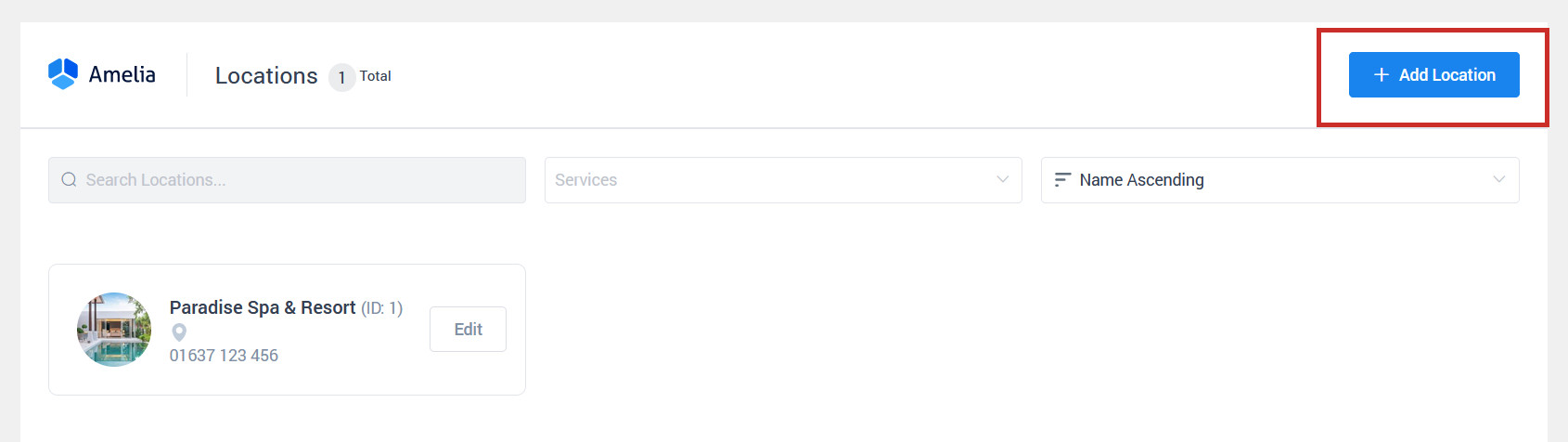
Here you will see your current locations, which you can click on to edit or delete. To add a new location, click the blue Add Location button:
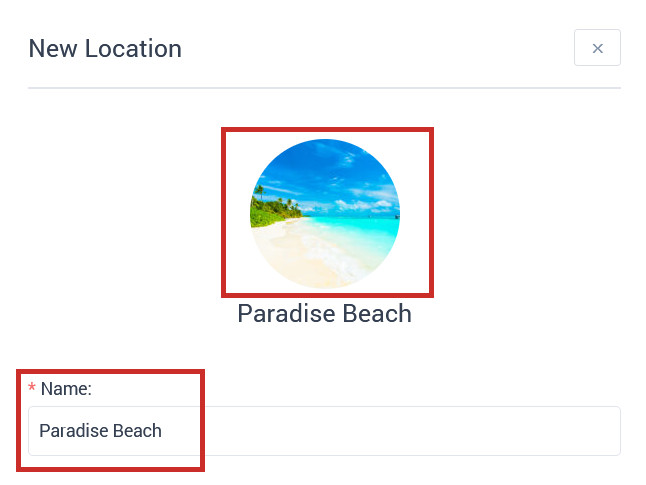
First, add an optional image of the location and enter the location’s name:
Next, enter the location’s address (optional):
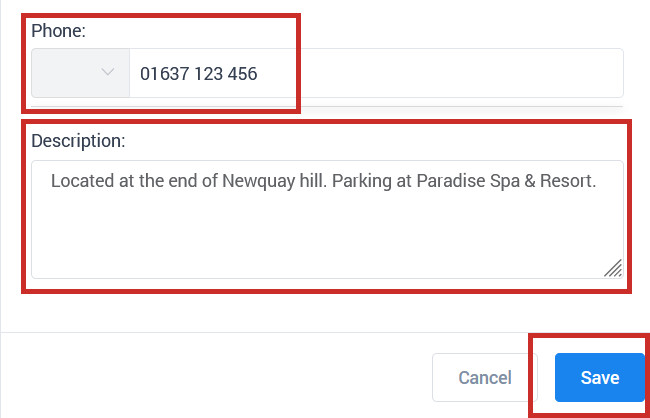
Enter an optional phone number and description, and click Save:
You can now use your location when adding events or managing your employee schedule (to determine what location they will be working at).
Please NoteGoogle Maps is available to pin-point your exact address and display it on a map, but in order to use this feature you need to add a Google Maps API in the booking system settings.