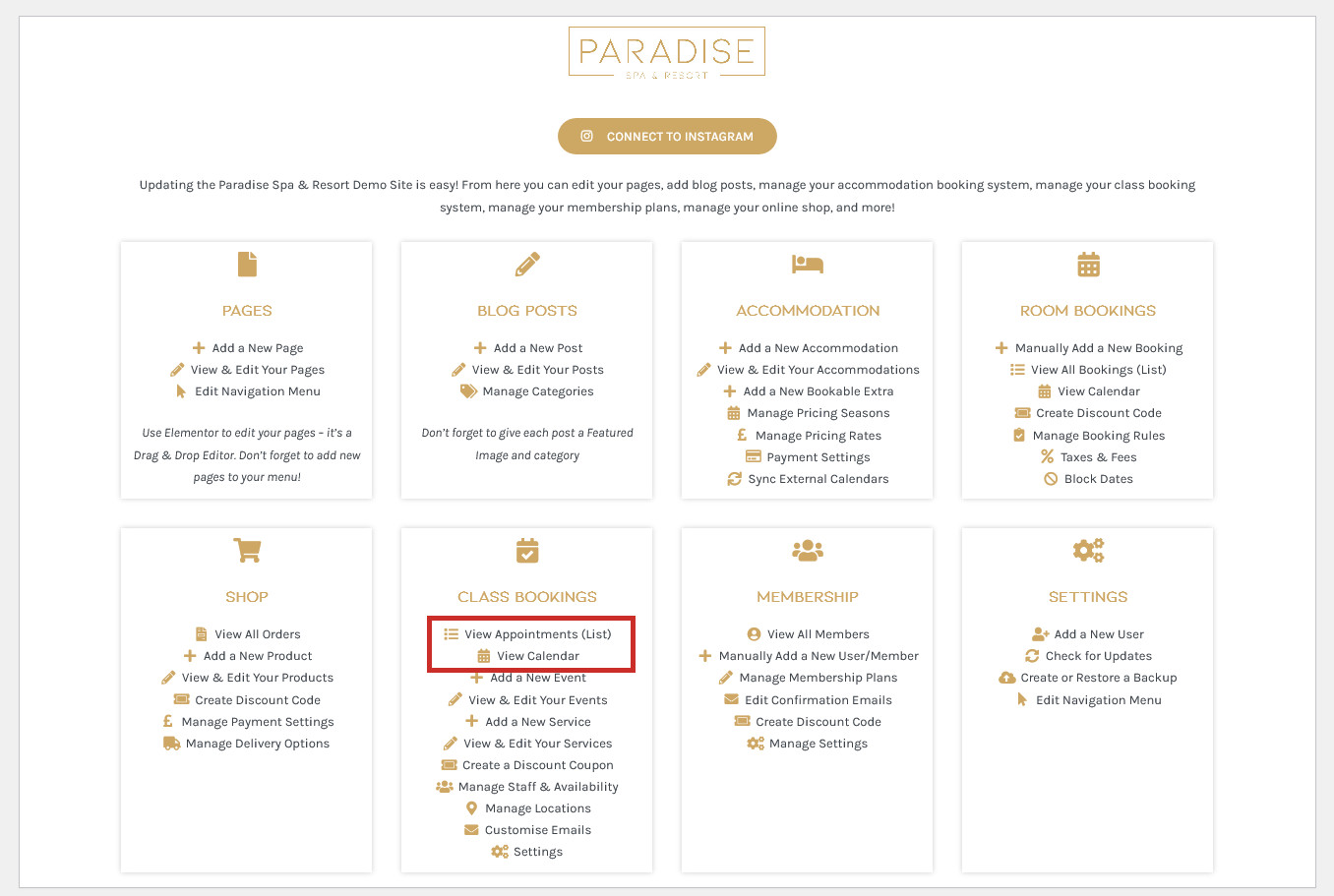
You should receive an email when a customer books in for a service, but you can also take a look at your appointments using the View Appointments (List) or View Calendar links in your dashboard under the ‘Bookings’ or similar heading:
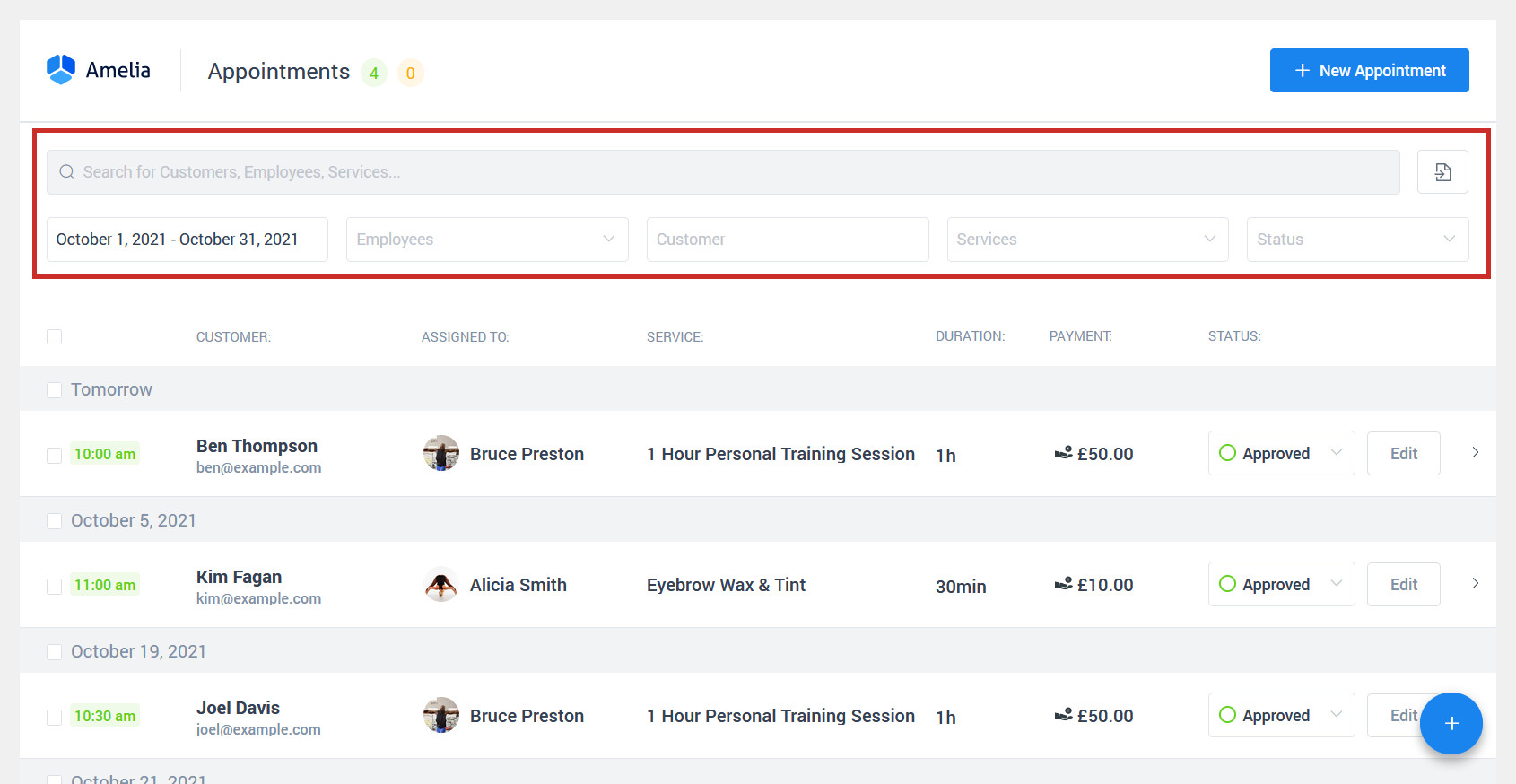
The Appointment List will display all appointments. You can filter by date, customer, employee, and service. Click on an appointment to view the customer’s contact details:
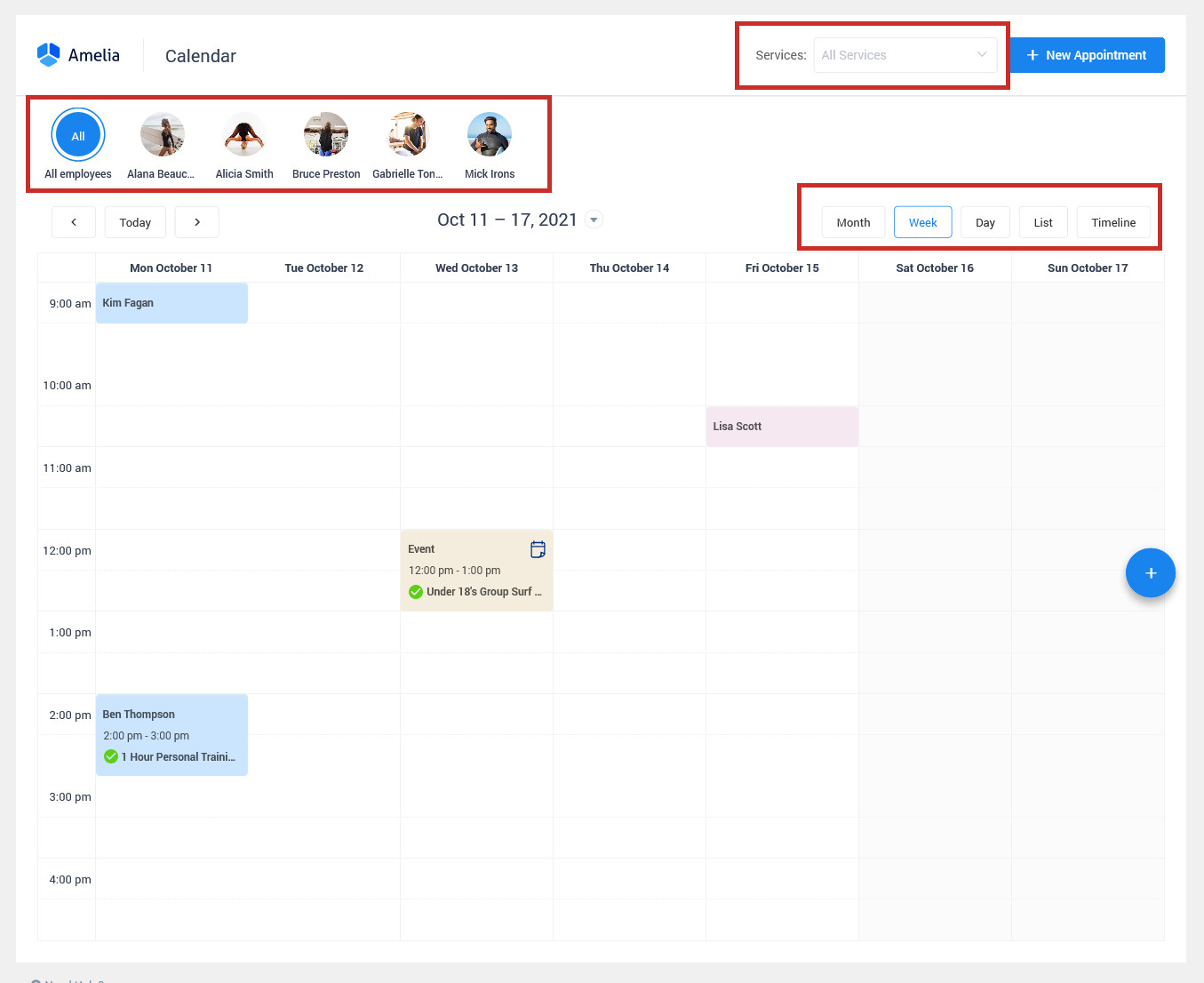
Calendar View will display appointments and events together in a Month, Week, Day, List, or Timeline View. You can filter by employee or service, and can click on a booking or event to view more details: