
If you would like to give someone access to the back-end (dashboard) of your website without sharing your login details, you may add them as a new user. To add a new user, use the Add a New User link in your dashboard under the ‘Settings’ heading:
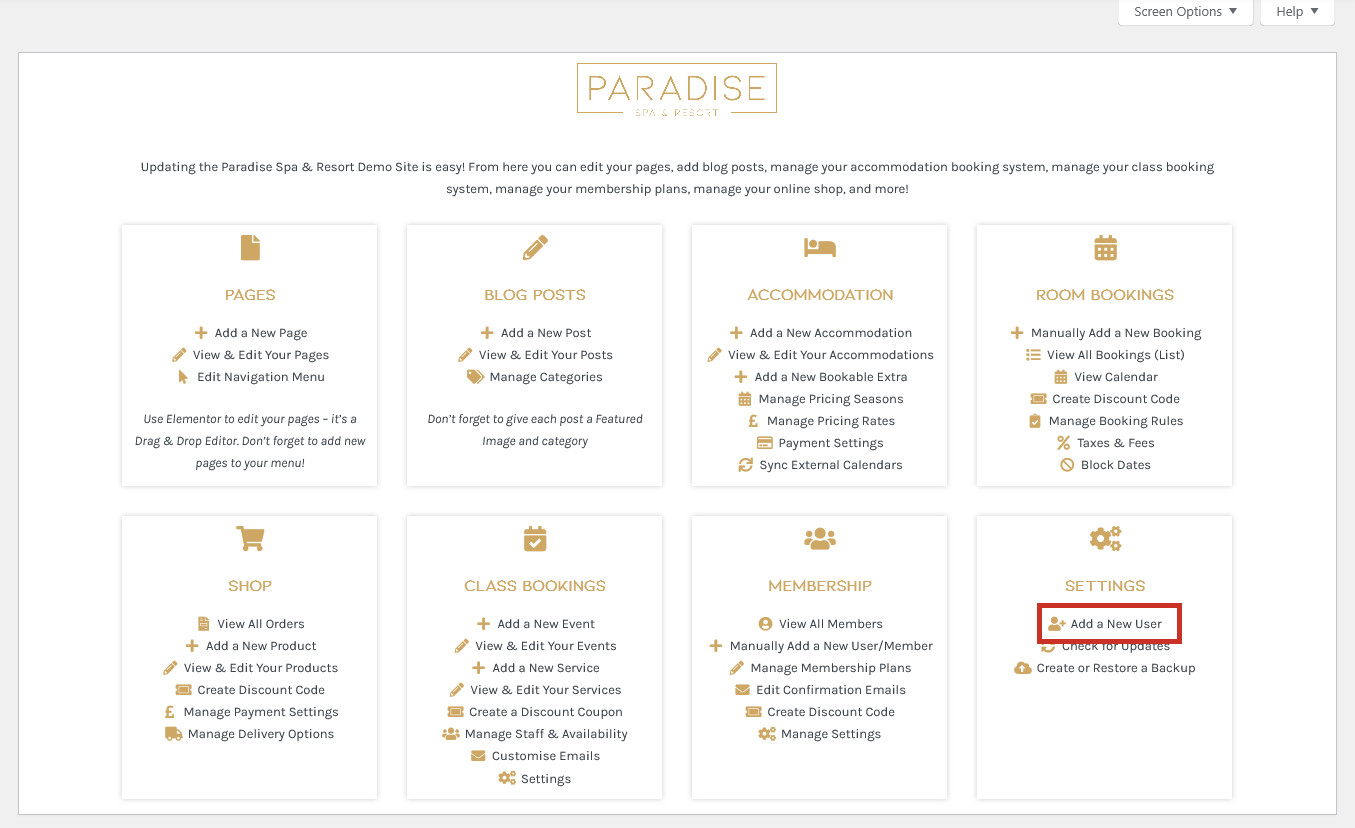
When creating a new user, you are required to give them a Username, Email and Password:

You may optionally enter their First and Last Names and a link to their Website:

Decide if you want the new user to receive an email informing them of their new account (if you leave this unchecked, you will need to get in touch with them yourself to let them know their login details) and select a Role for them (explained at the end of this article). Finally, click the Add New User button:

The user will now be created and they can login from your website’s login page.
User Roles Explained
| Administrator | The same full access to the entire site as you, with the ability to manage users and edit your entire site (not recommended) |
| Editor | Somebody who can publish and manage posts and pages, including the posts of other users |
| Author | Somebody who can publish and manage their own posts, but not others |
| Contributor | Somebody who can write and manage their own posts but cannot publish them (need publishing by an editor or admin) |
| Subscriber | Somebody who can only manage their profile and has no editing rights to the website |
| SEO Manager | Has all SEO capabilities, including full access to the Yoast SEO settings and features |
| SEO Editor | Gives access to the Yoast SEO features of the Yoast SEO metabox; however, an SEO editor does not get access to any of the Yoast sidebar settings |
Online Shop User Roles (Woocommerce)
| Shop Manager | Allows somebody to manage the shop without making them an Admin; access to products, store settings & reports |
| Customer | Similar to a subscriber with no editing abilities, but can update their information and view their orders |
Appointment Booking System User Roles (Amelia)
| Amelia Manager | Access to the appointment booking plugin (Amelia) without full administrator rights |
| Amelia Employee | A role you give to your staff to enable them to view their appointments, manage their days off and availability, and manage their services and events |
| Amelia Customer | A role for customers to allow them to manage their appointments and personal information (no ability to edit website) |