Home > How to forward mail to another email account
How to forward mail to another email account
Instead of logging into webmail to check your emails, or synchronising your account with Gmail or Outlook, it is possible to simply set up an email forwarder. This will forward all email from your mail account to another email address of your choosing.
Please NoteAn email forwarder will simply forward mail from one account to another. Unlike synchronisation with another mail provider using POP/IMAP/SMTP settings, you will not be able to use your custom email address to reply to emails. If you reply to an email from within the inbox it has been forwarded to, it will come from that account, meaning your personal email address will be visible to customers.
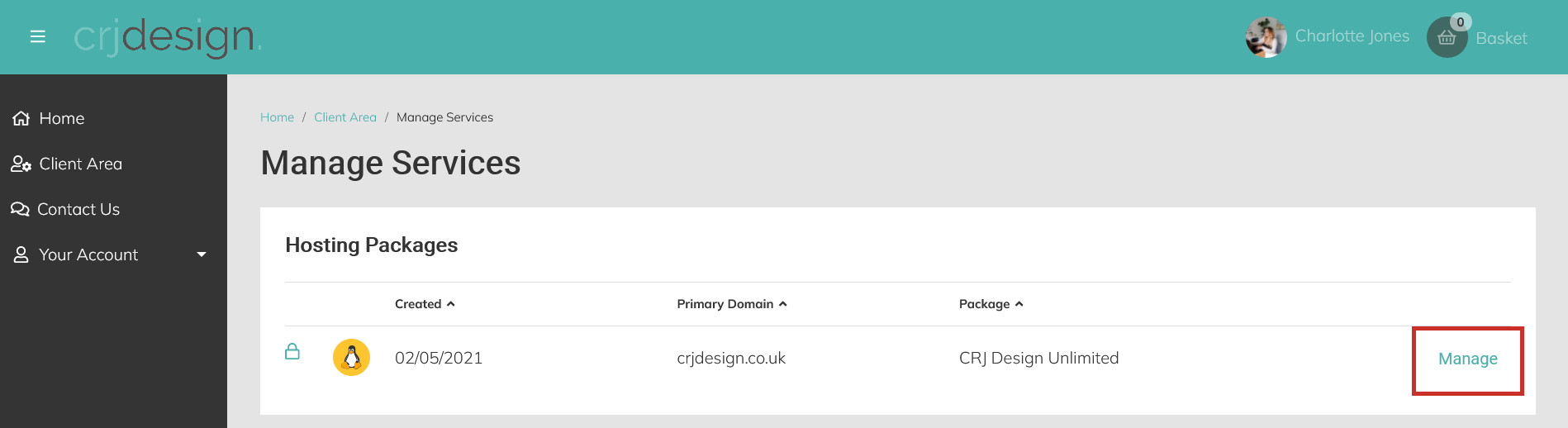
Login to your Hosting Portal and click Manage next to your hosting package:
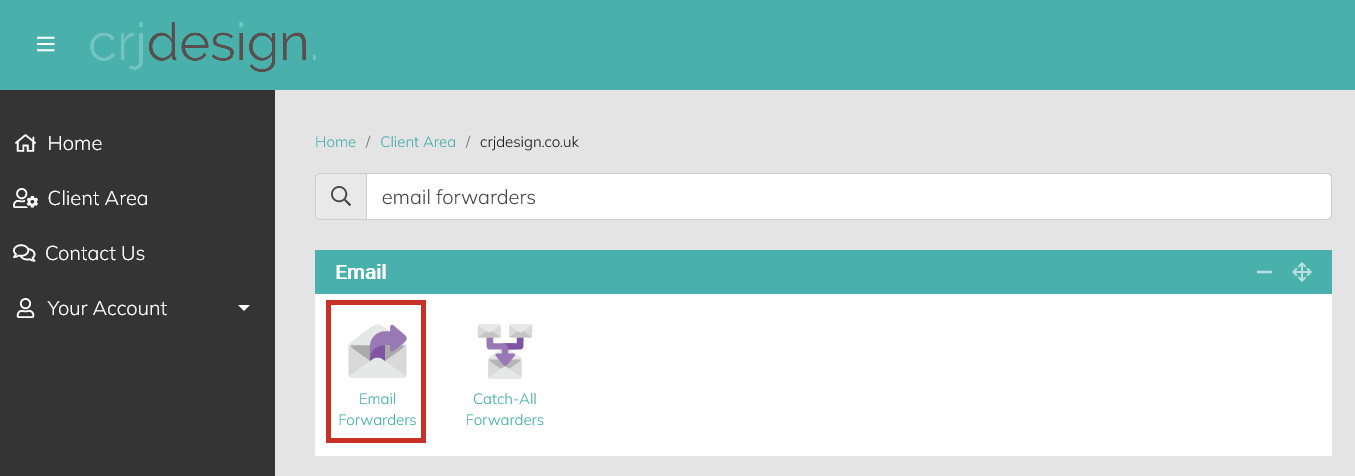
Navigate to the Email section and click on Email Forwarders (or search for ’email forwarders’ in the search bar):
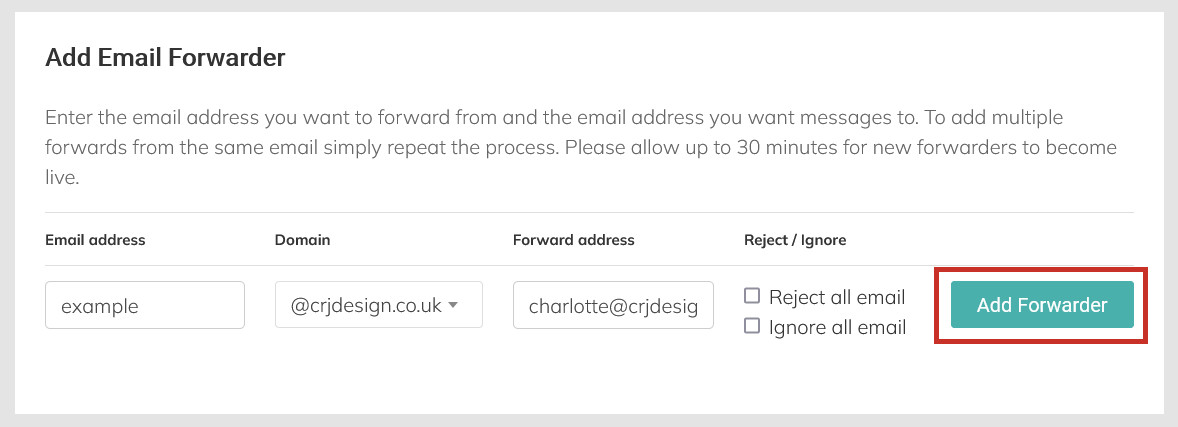
Under ‘Add Email Forwarder’, enter the details for the email address you would like to forward, and where you would like mail to forward to, and click the Add Forwarder button:
The forwarder will now be created.
In the example above, all email sent to example@crjdesign.co.uk will automatically be forwarded to charlotte@crjdesign.co.uk.