Home > How to add a new service to your accommodation
How to add a new service to your accommodation
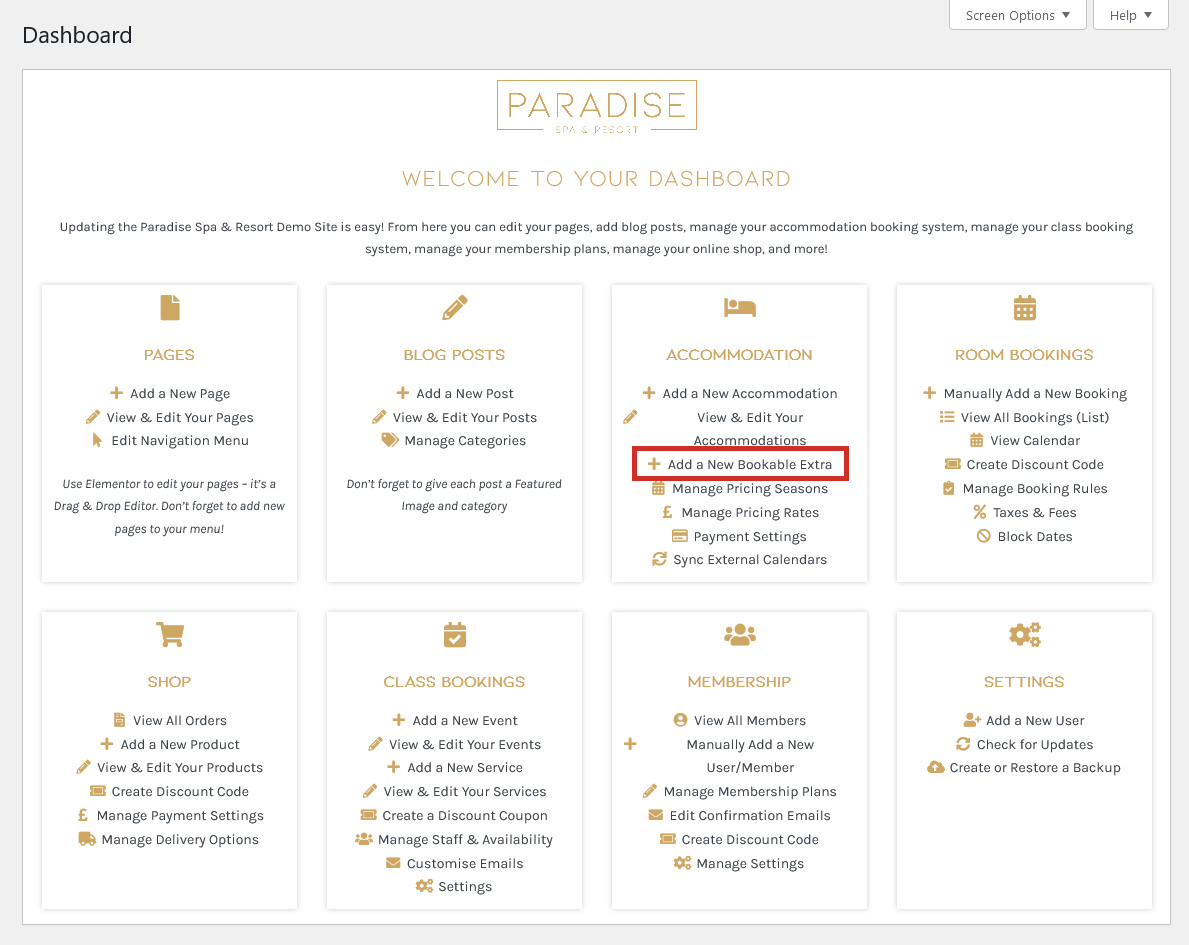
Extra services can be booked by guests during checkout if you choose, such as airport pickup or cot hire. To add a new bookable service, use the ‘Add a New Bookable Extra‘ or ‘Add a New Bookable Service‘ link in your dashboard under the ‘Accommodation’ heading:
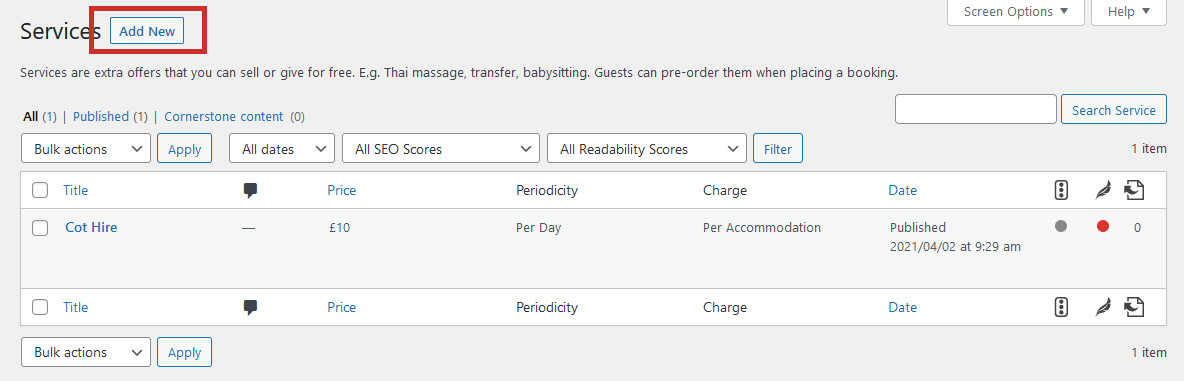
Here you can edit or delete any existing services/extras, or click the Add New button to create a new one:
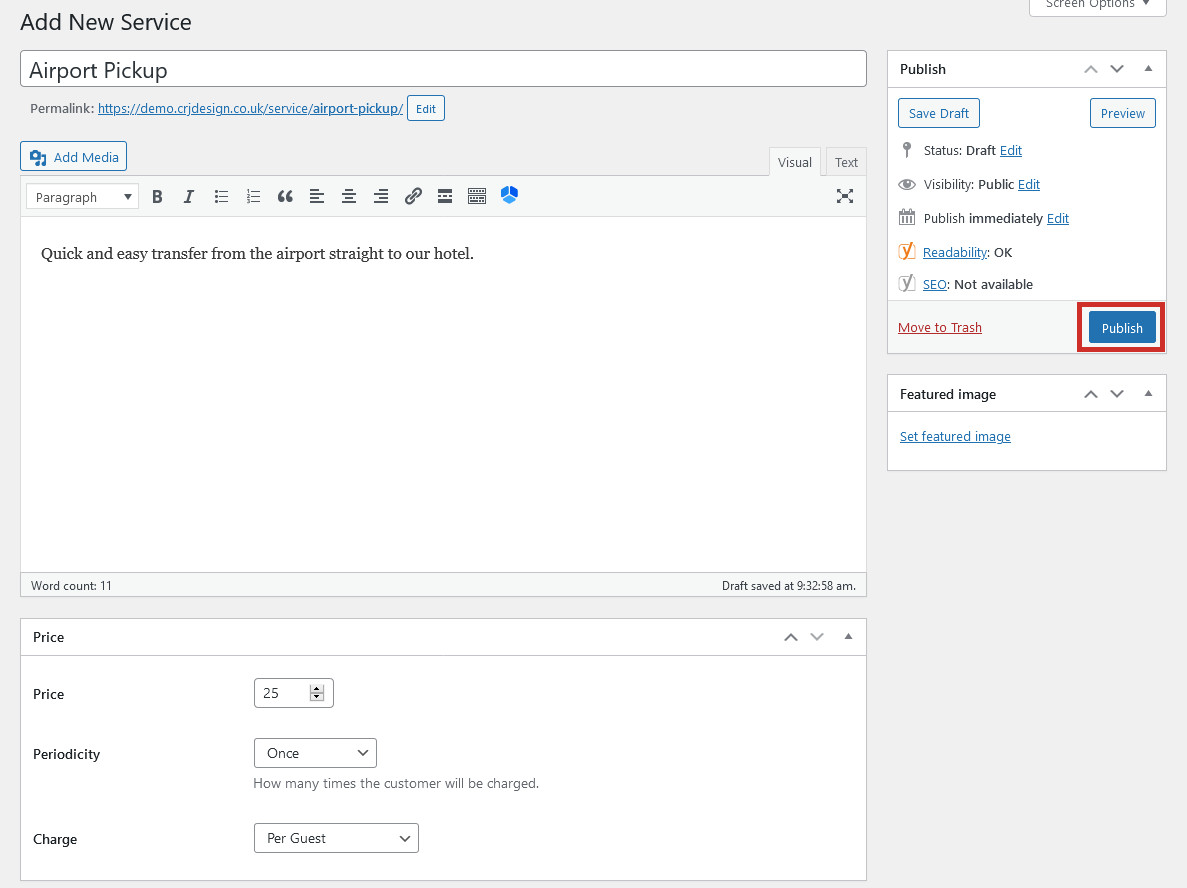
In this example we will be creating an airport pickup service. Enter the name (title) of the service and a brief description. Then, decide on the price and if this service will be charged per person or per accommodation. The Periodicity setting allows you to choose whether this is a one-off charge, charged per day, or whether the guest can choose how long they want to book this service for. An optional image can be added also. Click Publish to create your service:
Title: Enter the name of the service, eg. ‘Airport Pickup’
Description: Enter an optional description of the service
Price: The price of the service
Periodicity: Select ‘once’ if this is a one-off charge, ‘per day’ if this service is charged per day, or ‘guest choice’ to allow customers to choose how long they want to book this service for
Charge: Decide whether this service is charged per guest or per accommodation
Featured Image: Add an optional image of the service
Guests will be able to optionally book any services you add when they checkout. The Taxes & Feessettings allow you to charge a tax on any services which are booked.