Home > How to manage your accommodation’s taxes & fees
How to manage your accommodation’s taxes & fees
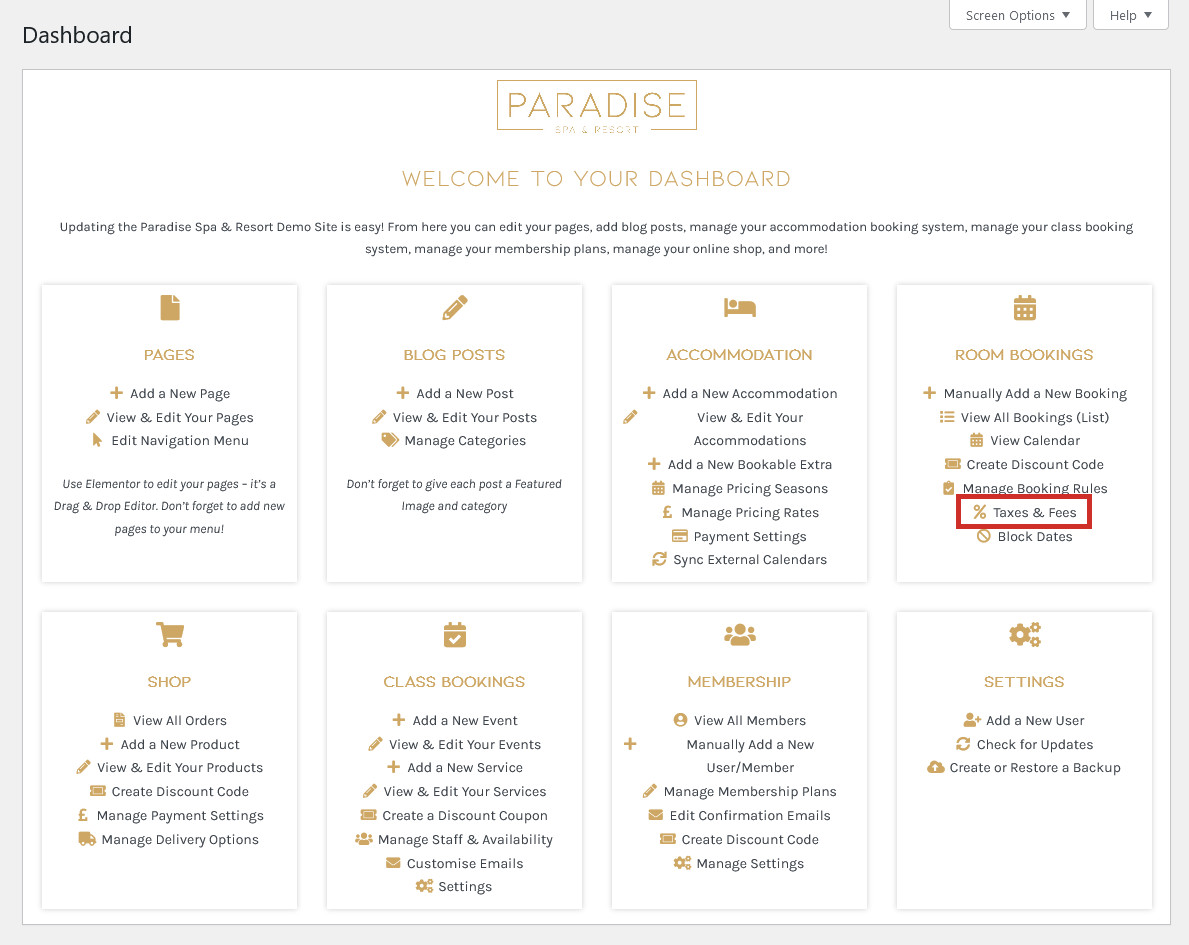
It is possible to charge additional taxes or fees on top of your accommodation’s price, such as cleaning fees or booking fees. To edit or create fees, use the ‘Taxes & Fees‘ link in your dashboard under the ‘Room Bookings’ (or similar) heading:
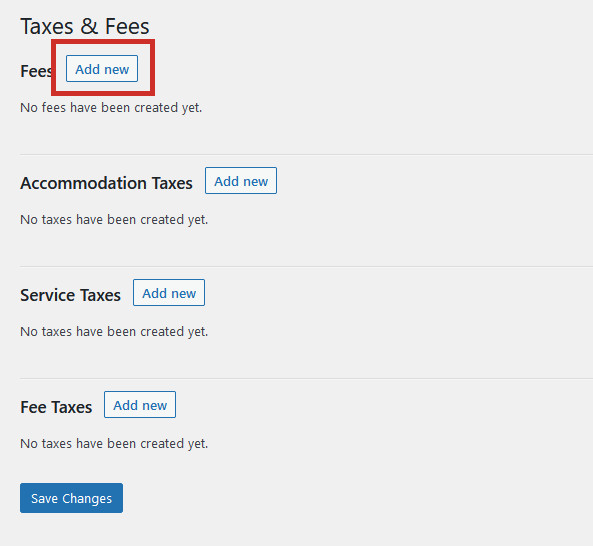
Here you will see four types of fees and taxes:
Fees: a seperate mandatory charge in addition to the accommodation’s rate.
Accommodation Taxes: a tax charged on your accommodation’s rate.
Service Taxes: a tax charged on an additional services the guest has booked.
Fee Taxes: a tax charged on any additional fees.
Click ‘Add New’ next to the type of fee or tax you’d like to create. In this example, I will be setting up a cleaning fee:
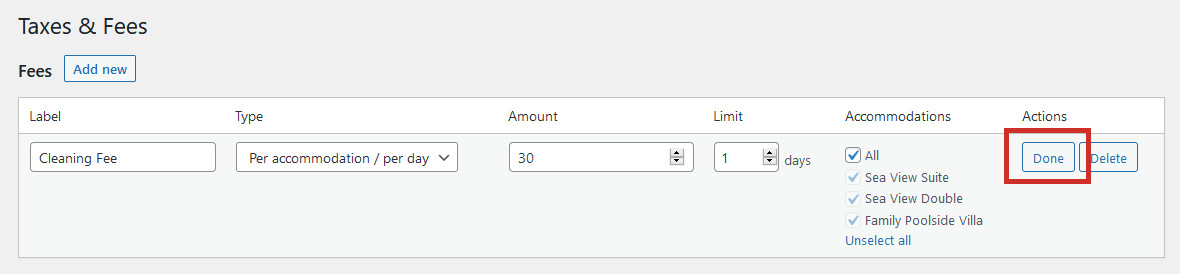
Give the fee a name (Label), and decide if it will be charged per guest per day, or per accommodation per day. Enter the amount to be charged, and set a limit for how many days the guest will be charged. If this fee is a one-off fee (such as a booking fee or end-of-stay cleaning fee), set the limit to 1. This means the guest will only be charged once, regardless of the length of their stay. Select which accommodations this fee applies for, and click ‘Done’ when you’re finished:
In the screenshot above, we have set up a £30 cleaning fee for all accommodations, which is only charged once per stay.
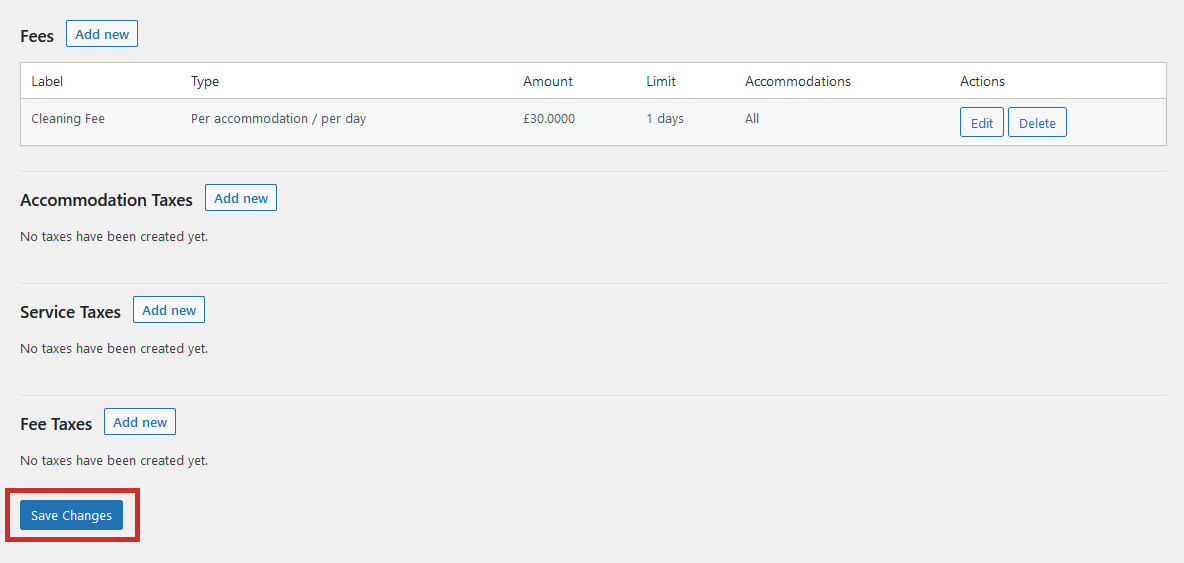
Don’t forget to click Save Changes when you’re done!